Modules
1.Define Module
Before using OrigoTracker Argus to monitor equipment data in real-time, the first task an administrator needs to do is to define a module .
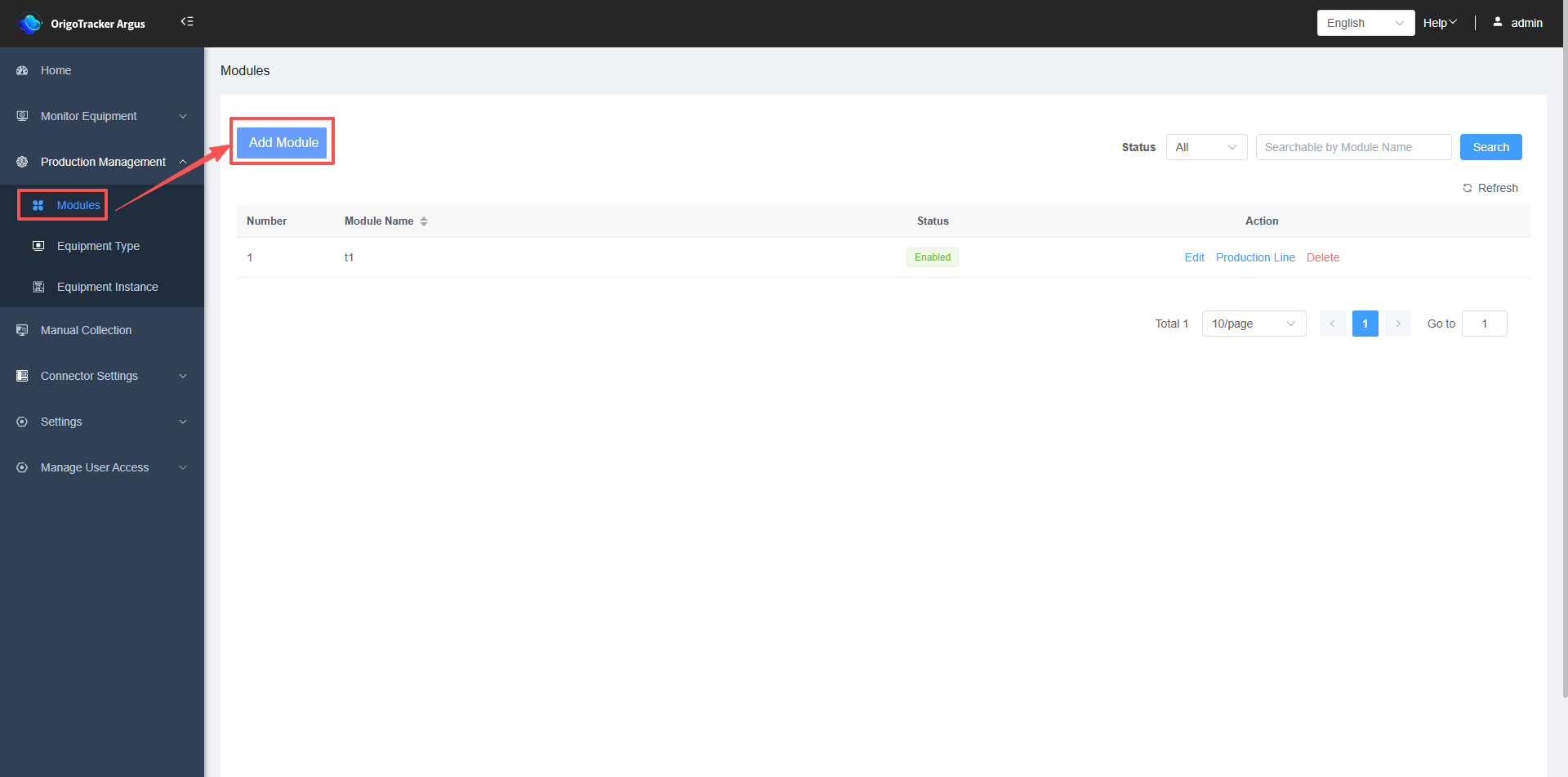
(1) Click on "Modules"
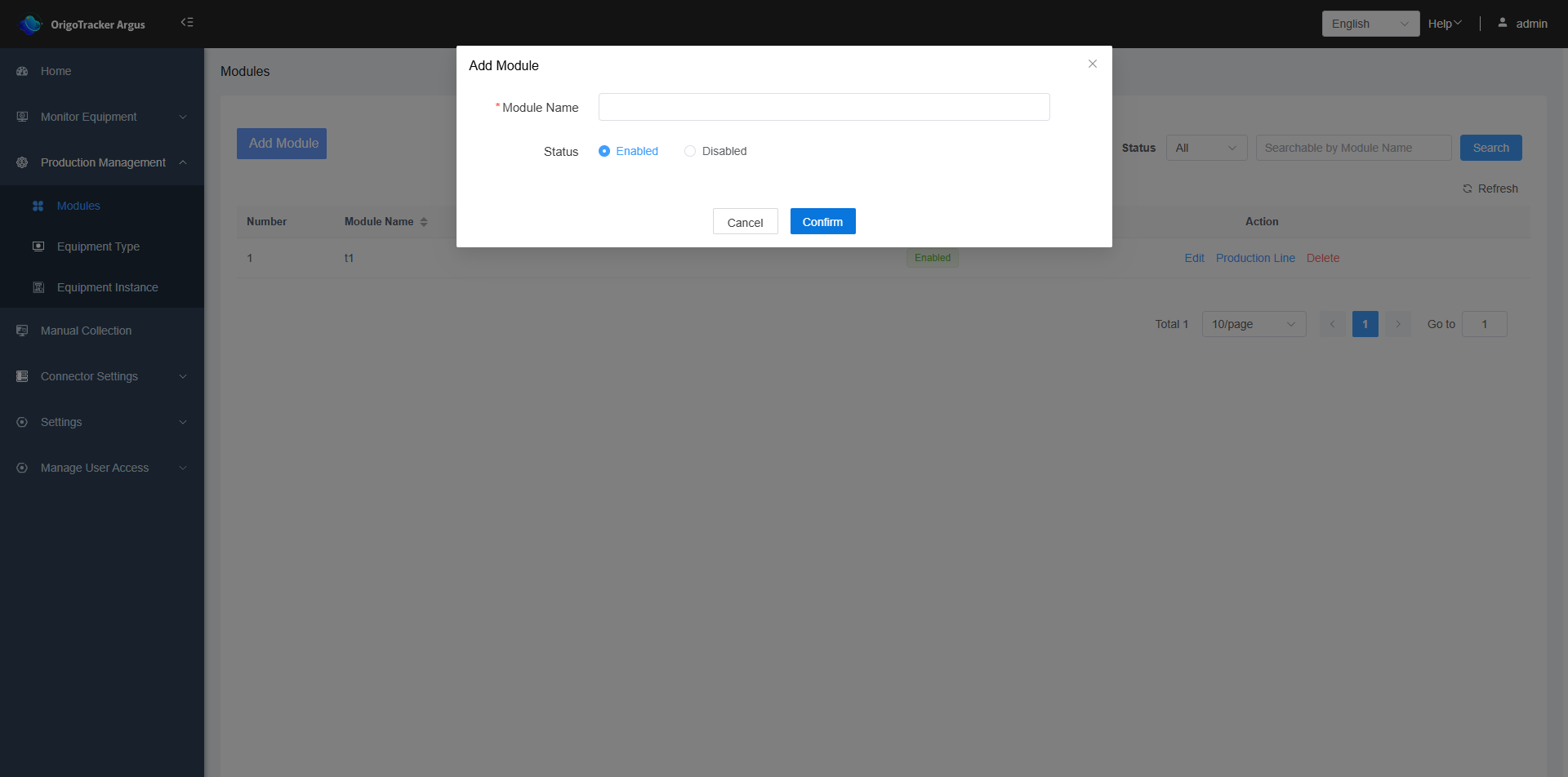
(2) Click "Add Module" to proceed.
2.Define Production Line under the Module
After creating a module, we need to define which production lines exist under the module.
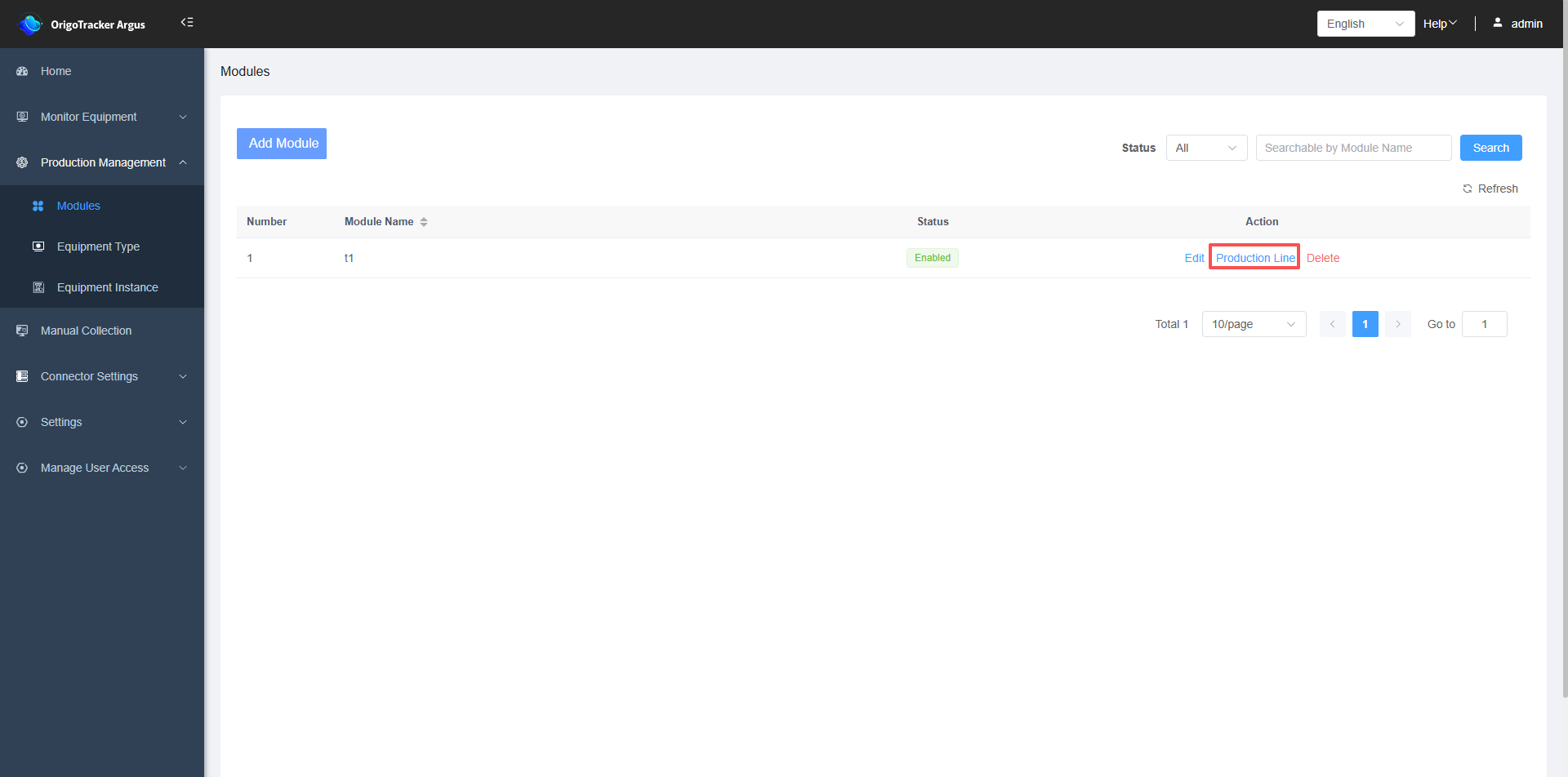
(1)Click on "Production Lines" within the module to enter the production line list page.
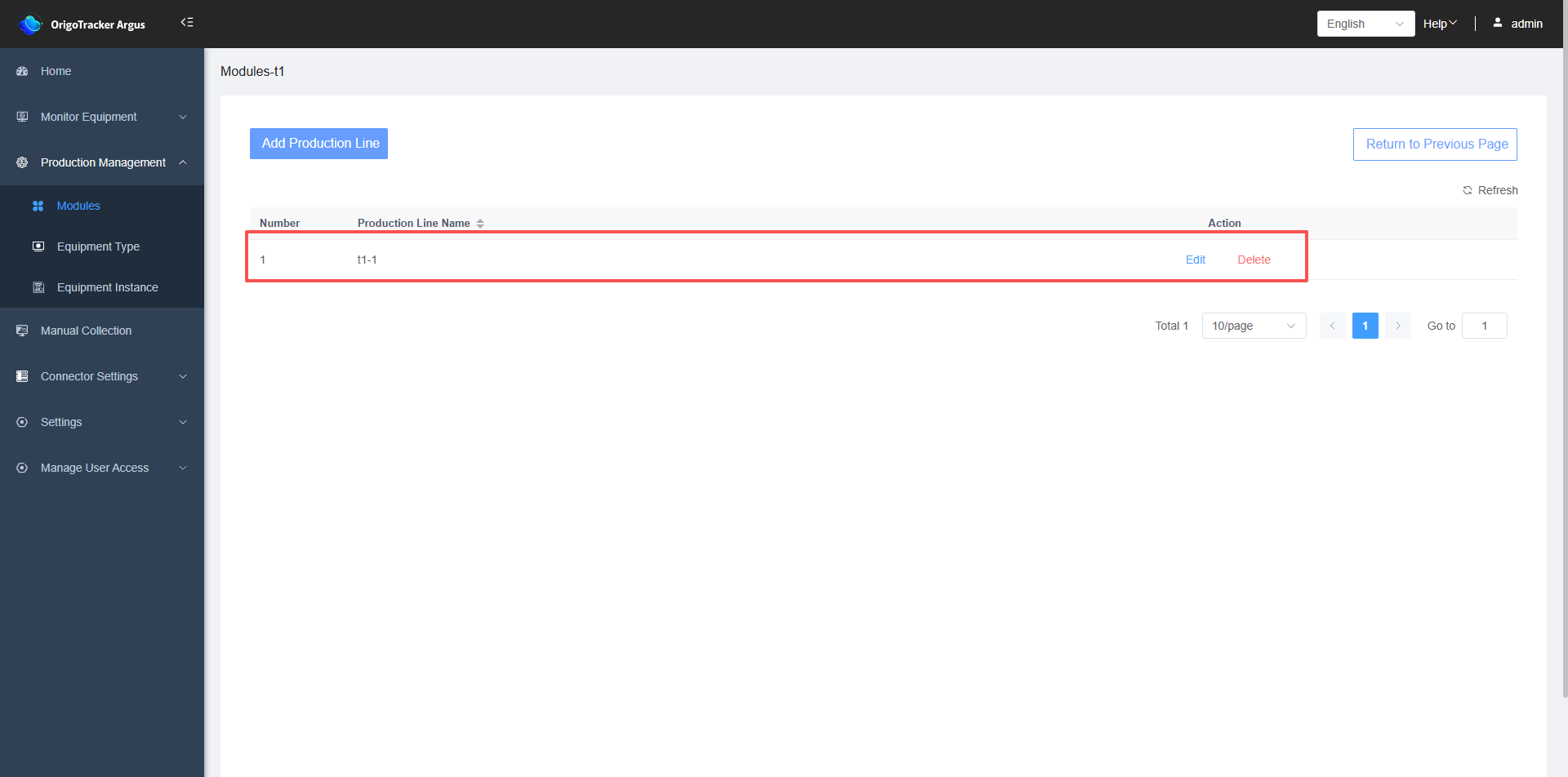
(2)After entering the Production Line page, click “Add Production Line”
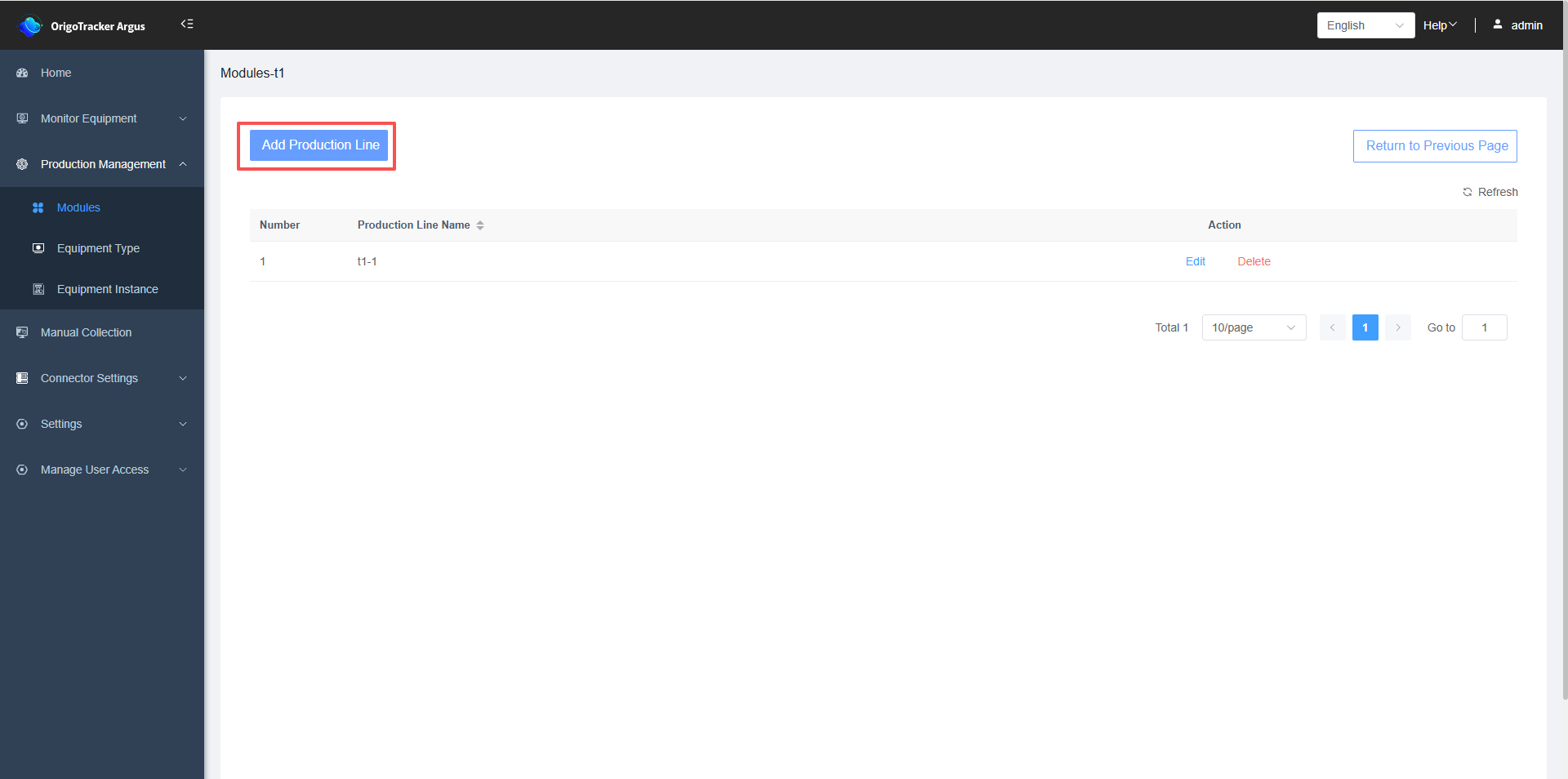
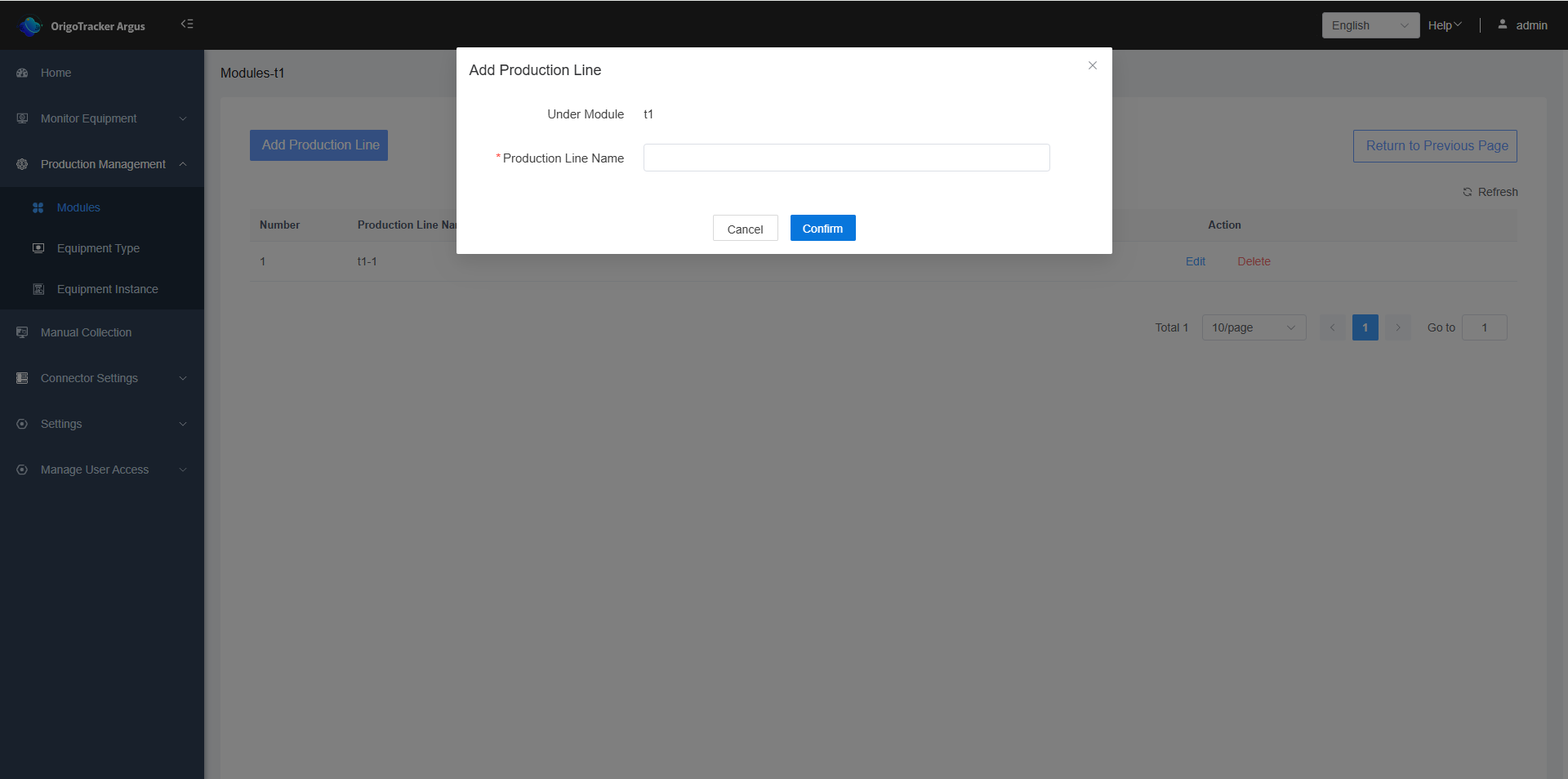
Newly created production line will be displayed in the list.