Monitored Data
You can view real-time data, trend charts, historical data, and more for managed devices on this page. However, Simple Connector settings need to be configured first.
You can refer to the following documentation to see how to set up Simple Connector:
1.Equipment Monitoring Settings
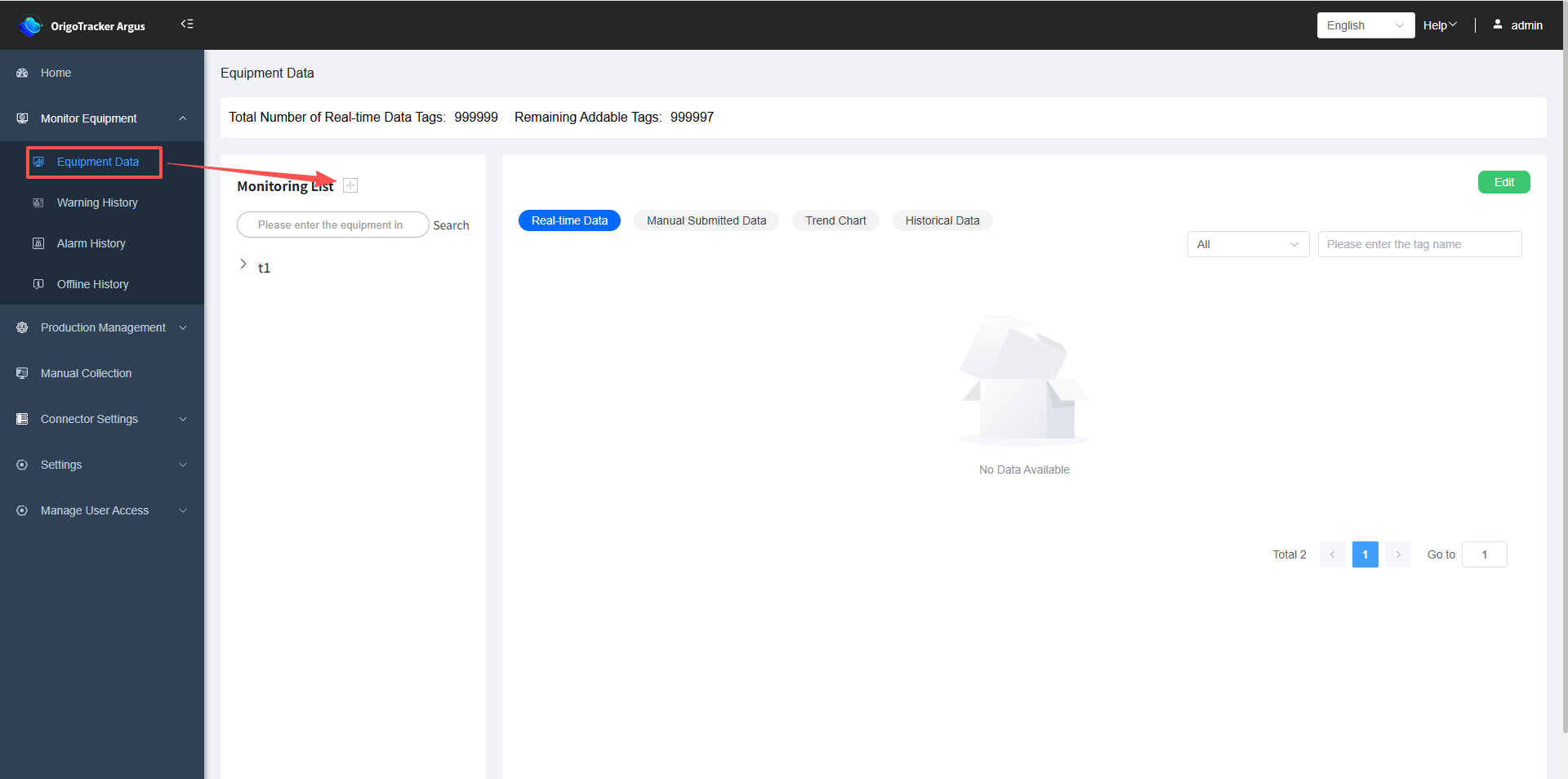
(1)Click on "Monitoring Data", then click the plus sign next to the Monitoring List.
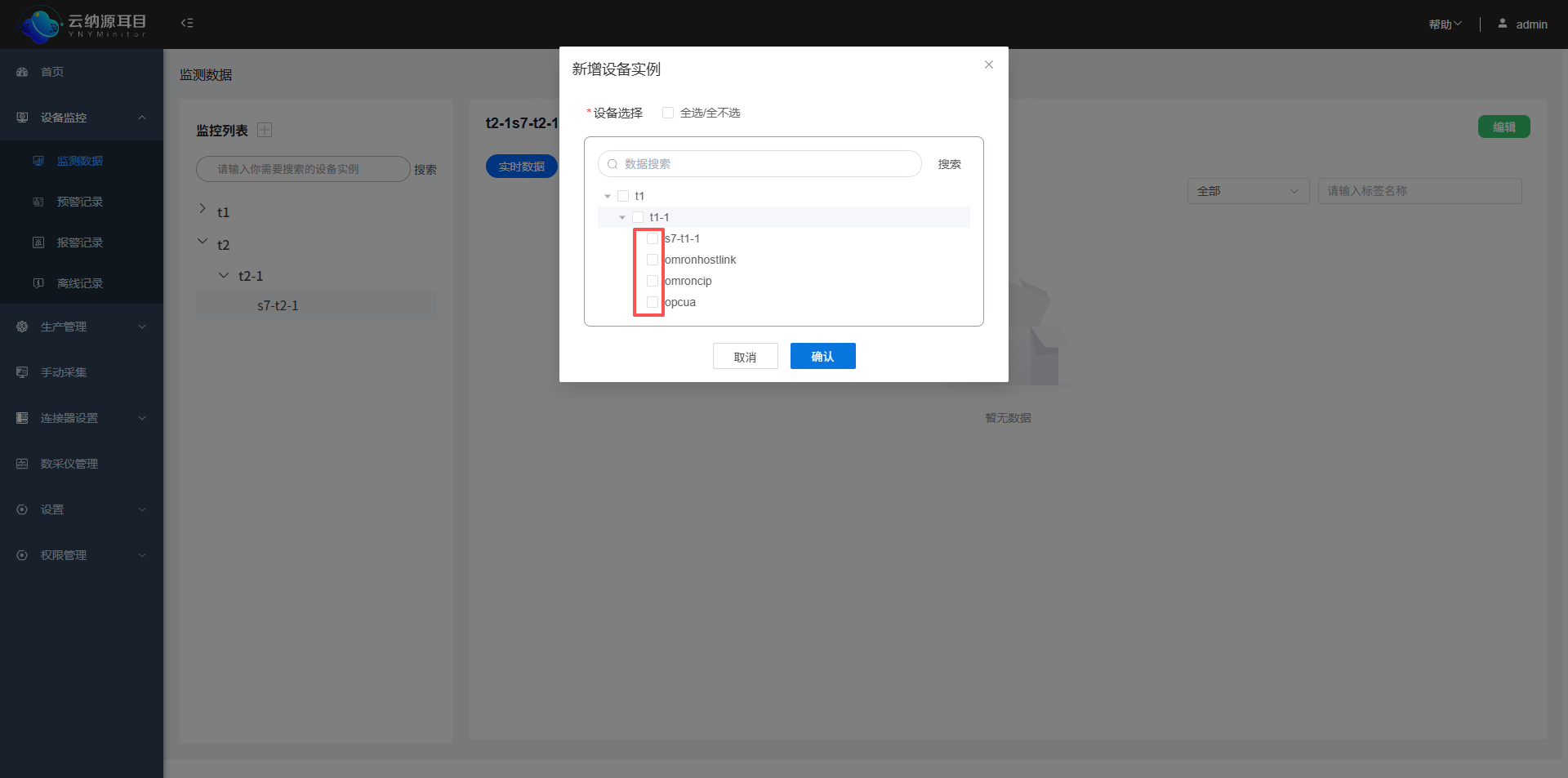
(2)Select the equipment instance you want to monitor. If you do not see the equipment instance you want to monitor here, it means the Simple Connector settings have not been added for that equipment instance.
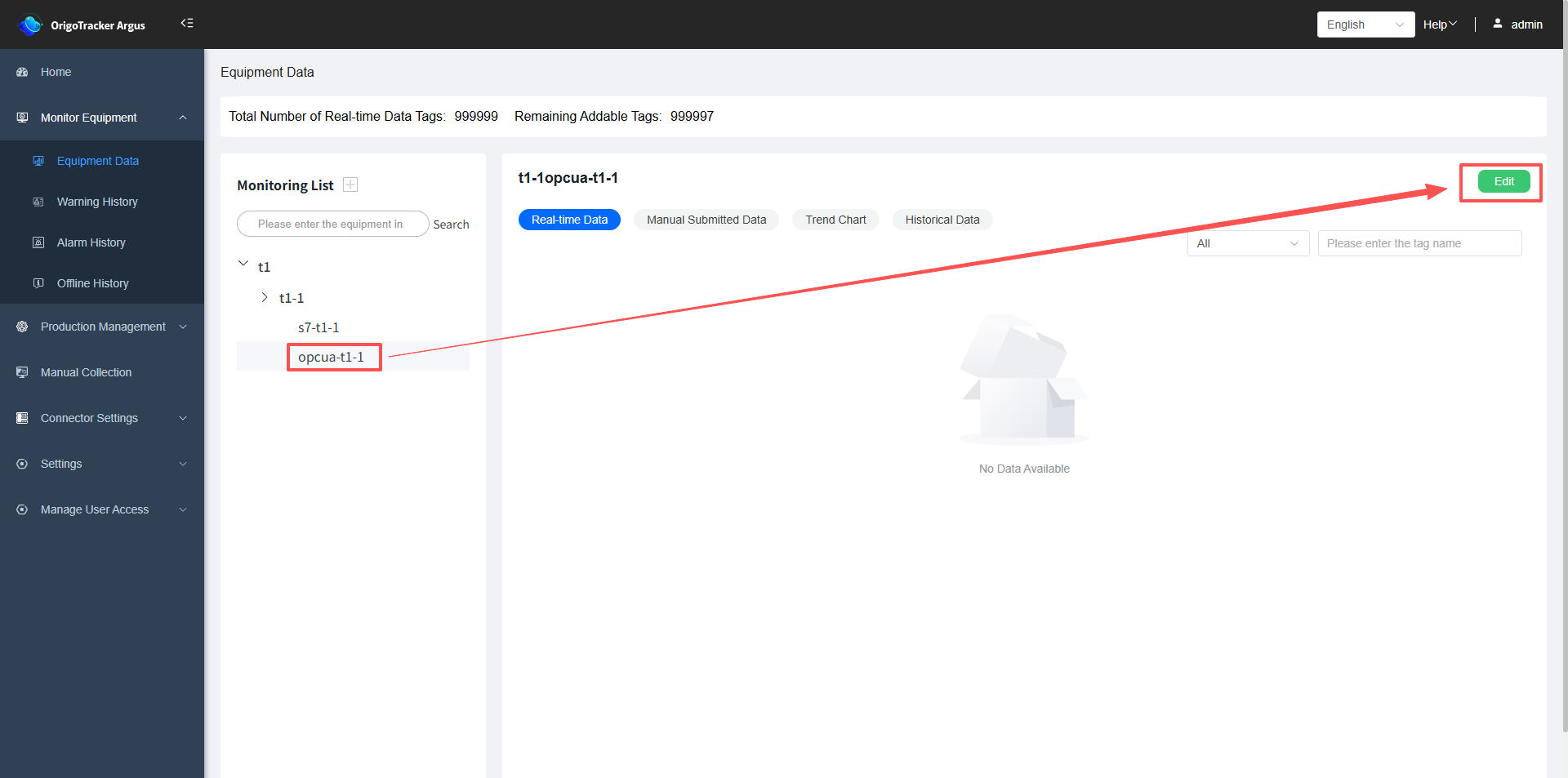
(3)After selecting the equipment instance to monitor, it will be displayed in the list on the left.
Click "Edit" to configure the tag data settings for this device instance that need to be monitored.
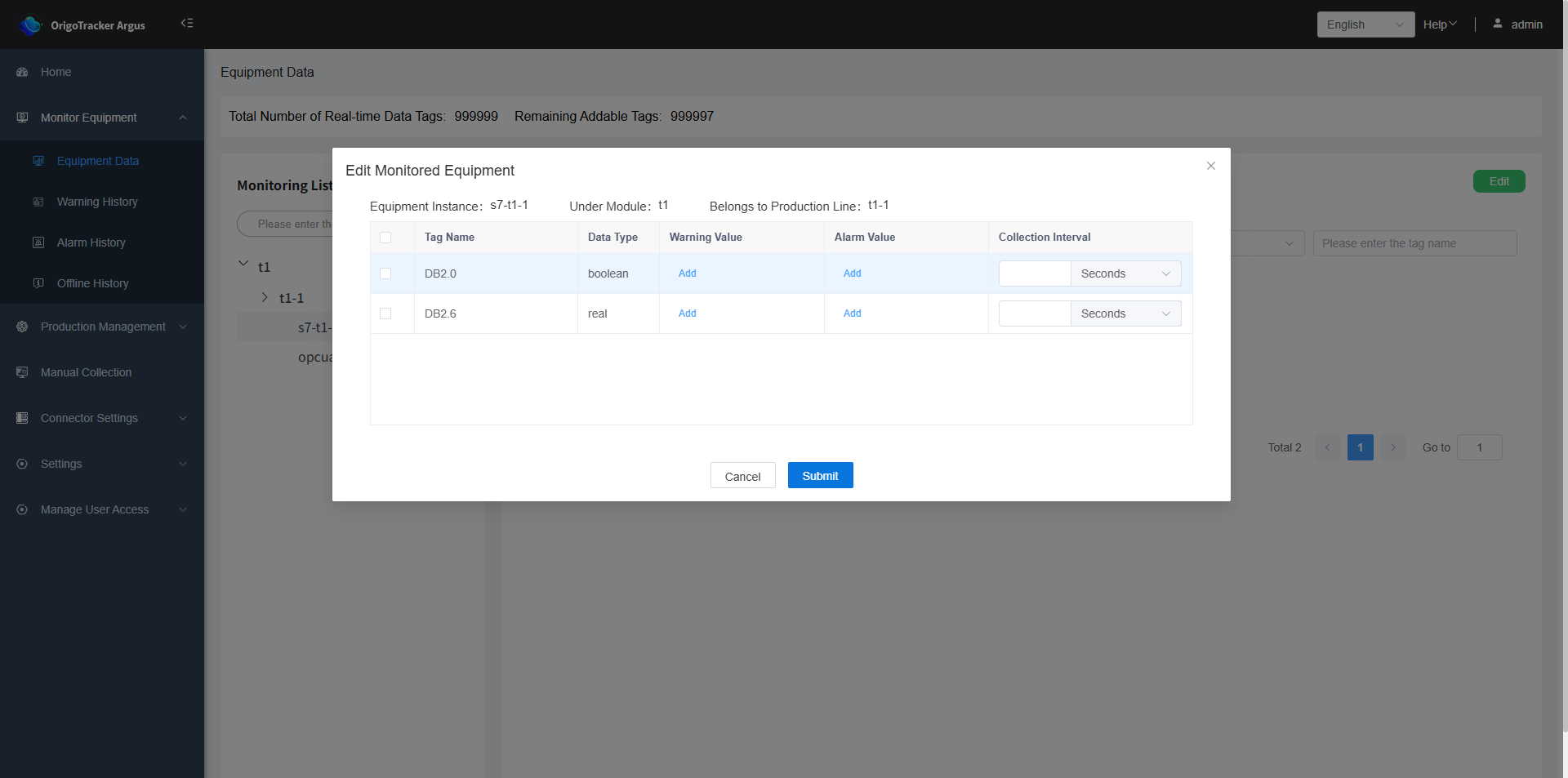
| Field | Description |
|---|---|
| Tag Name | The name of the tag |
| Data Type | The data type of the tag |
| Warning Value | When the collected data meets the user defined warning conditions, the system will issue a warning. |
| Alarm Value | When the collected data meets the user defined alarm conditions, the system will issue an alarm. |
| Collection Interval | Data is collected at regular intervals (defined by the user) |
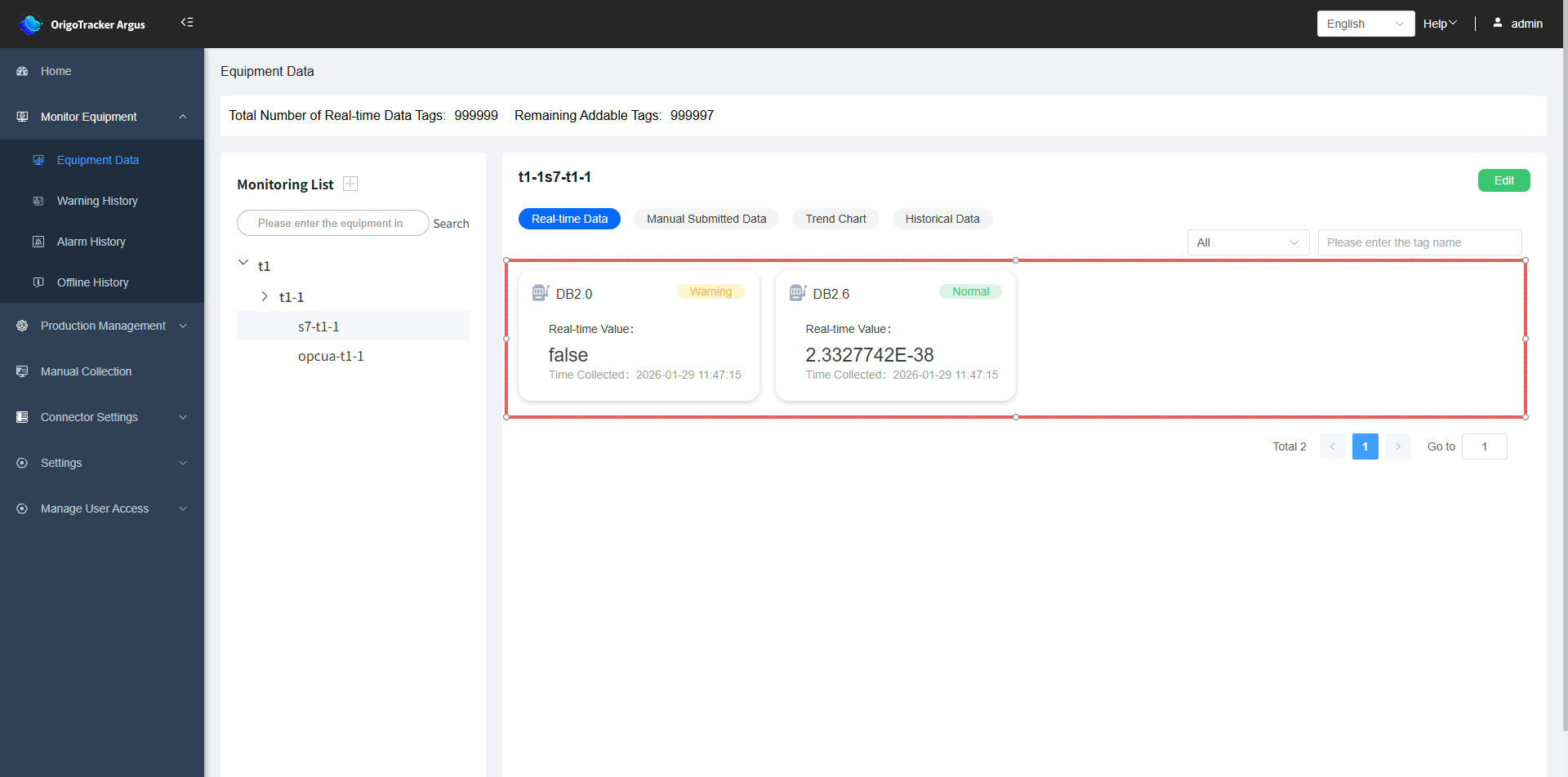
(4)Defined monitoring tab will be displayed on the dashboard
| Field | Description |
|---|---|
| Real-time Data | The real-time values of the tags monitored of the selected equipment. |
| Manual Collection Data | If manual data collection is set up for this equipment, the manually reported data values will be displayed here. |
| Trend Chart | The trend chart of the tag data monitored by the device over a period of time. |
| Historical Data | The historical data of the tags monitored by the device. |
(5)Setup condition for abnomal data.
The system can trigger warning and alarm based on the warning/alarm conditions you have defined, as shown below.
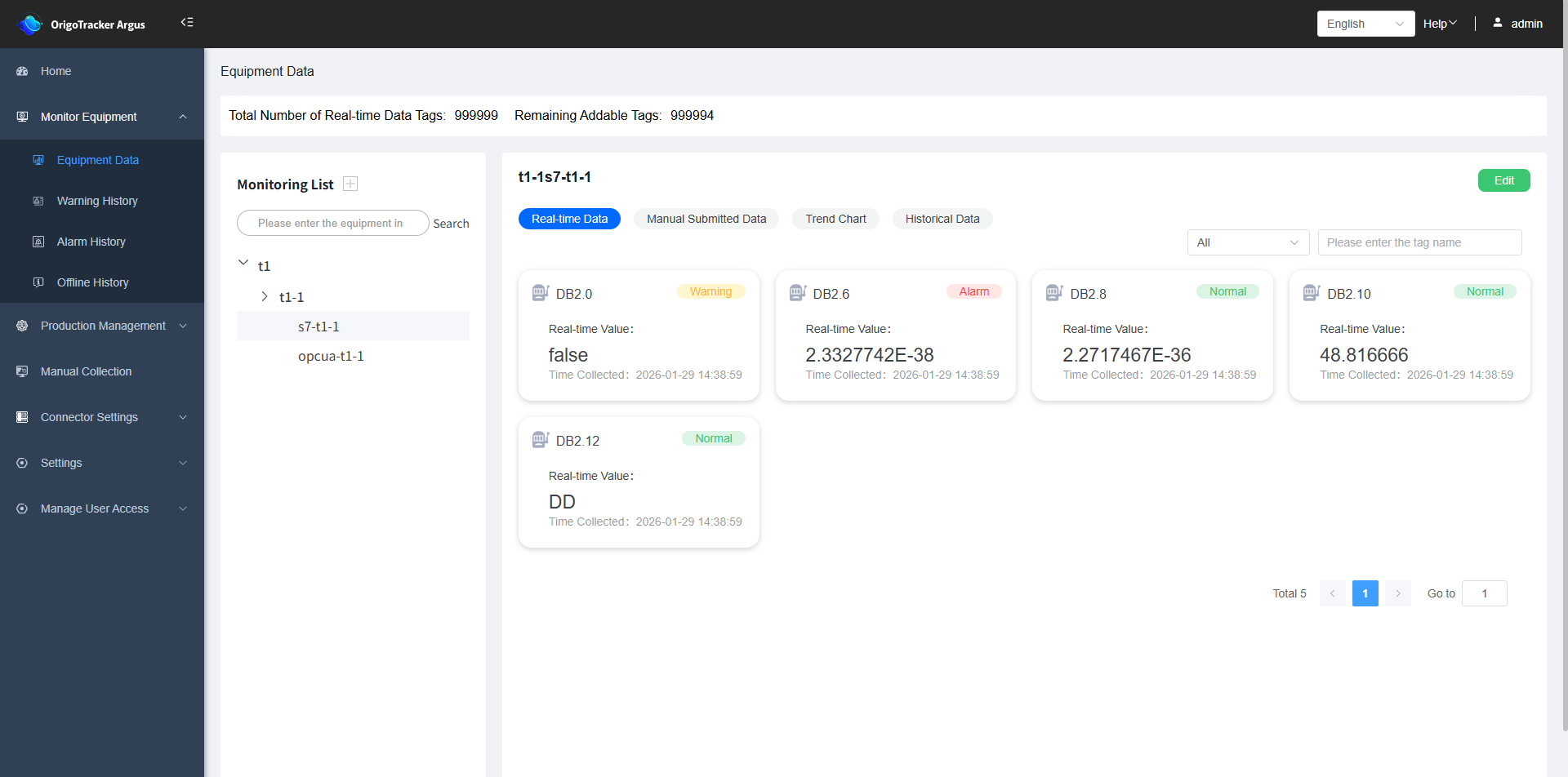 In addition to the two aforementioned anomalies, there are several other types:
| Field | Description |
|---|---|
| Offline | The system is unable to collect data values from this device. |
| Tag Deleted | The device's tag has been deleted in Simple Connector. |