Offline History
You can view offline records that have been sent or are currently occurring on this page.
Offline Records
(1) Click on "Offline" to enter the offline records list.
This page displays offline reports that have occurred in the past or are currently active.
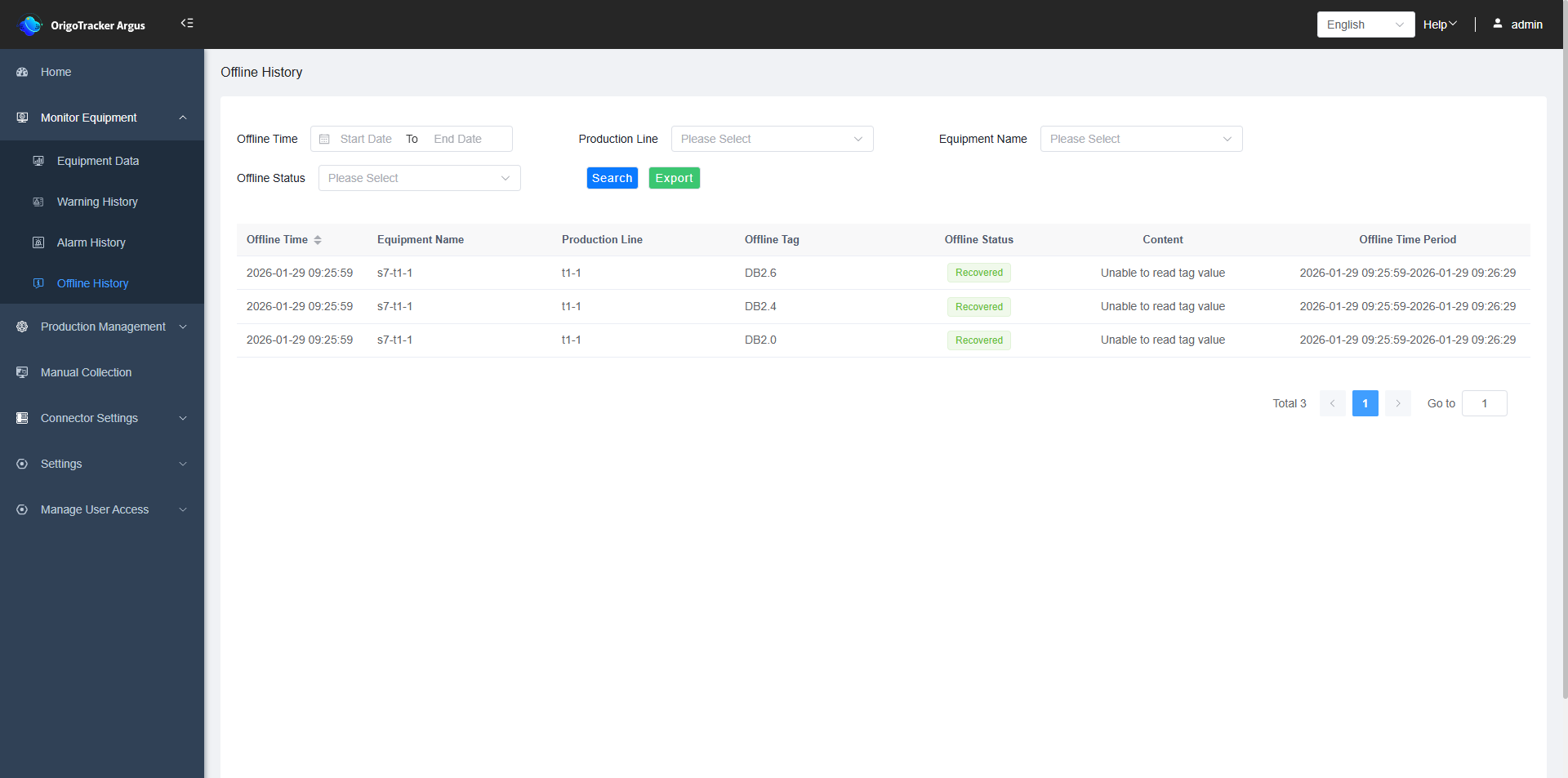
| Field | Description |
|---|---|
| Offline Time | The time when the offline anomaly occurred. |
| Equipment Name | The equipment where the offline anomaly occurred. |
| Production Line | The production line of the equipment that went offline. |
| Offline Tag | The tag of the equipment that went offline. |
| Value at Offline | The last reading of the tag before the time the offline event occurred. |
| Offline Status | “Recovered” means the offline status has been resolved. “In Offline” means the equipment is still offline. |
| Offline Duration | Under normal circumstances, there are two time valueshere. The first is the offline start time, indicating when the offline event began. The second is the offline end time, indicating when the offline issue was resolved. |
The ending of the offline duration also include the following exceptional scenarios:
(1) Tag Monitoring Canceled: During the offline period, monitoring for this tag was canceled.
(2) Tag Deleted: During the offline period, this tag was deleted in Simple Connector.
(3) Equipment Instance Deleted: During the offline period, the equipment was deleted in Simple Connector.