Manual Collection
When a equipment does not equipped with a PLC for monitoring, you can use a pad with Argus app installed, to manually report data and then view it in the system.
Here, you can add and configure the content to be collected on the pad.
The steps to add manual acquisition are as follows:
1. Define Manual Acquisition Process
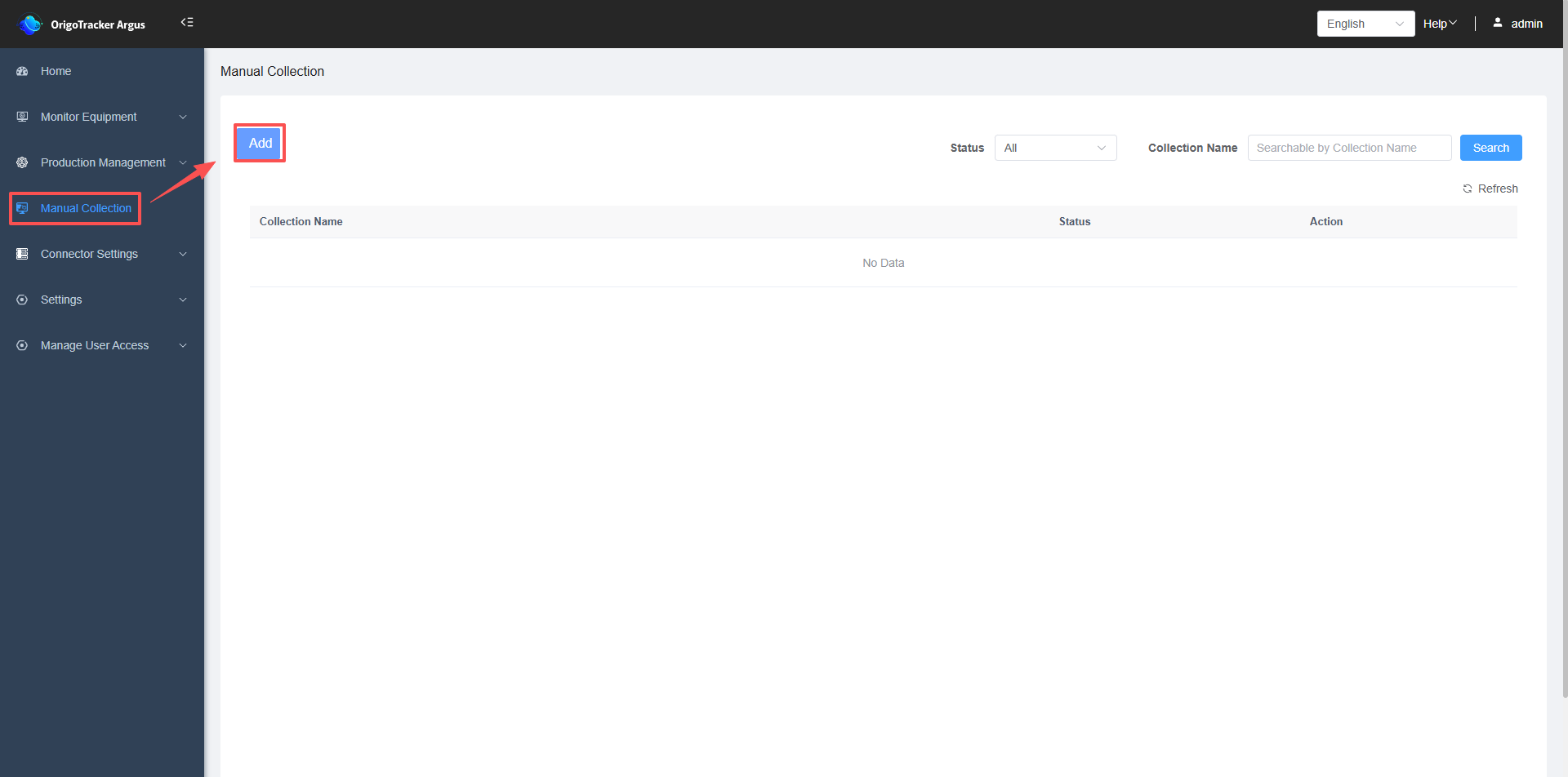
Enter the Manual Collection Page, and click the Add button
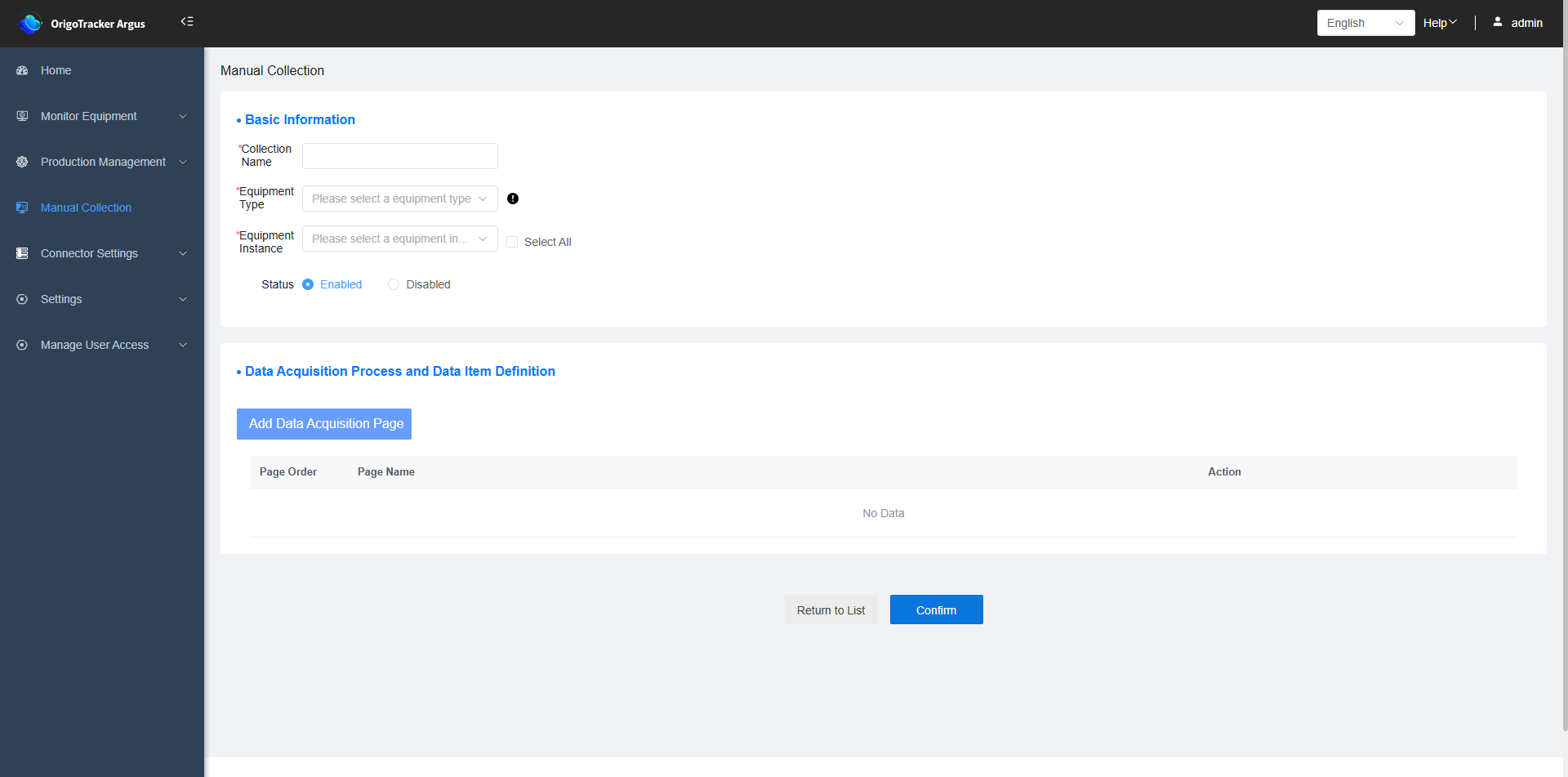
| Field | Description |
|---|---|
| Collection Name | The name of the manual acquisition definition. |
| Equipment Type | The equipment type that needs to be reported |
| Equipment Instance | The physical equipment instance under the chosen equipment type. |
| Status | Once disabled, data for this equipment cannot be reported on the pad. |
2. Define the required data item for the equipment
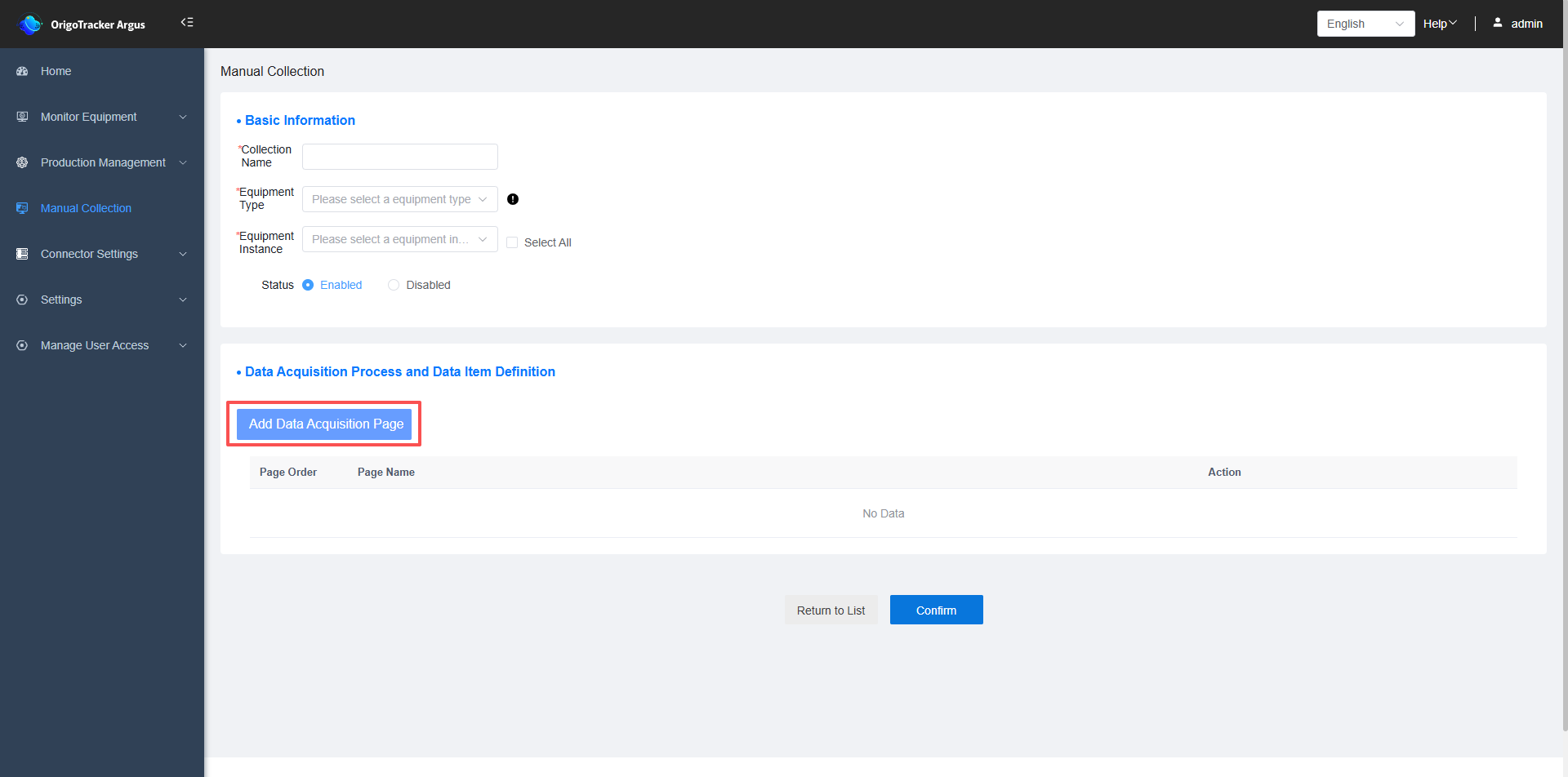
Click to add a new data collection page definition
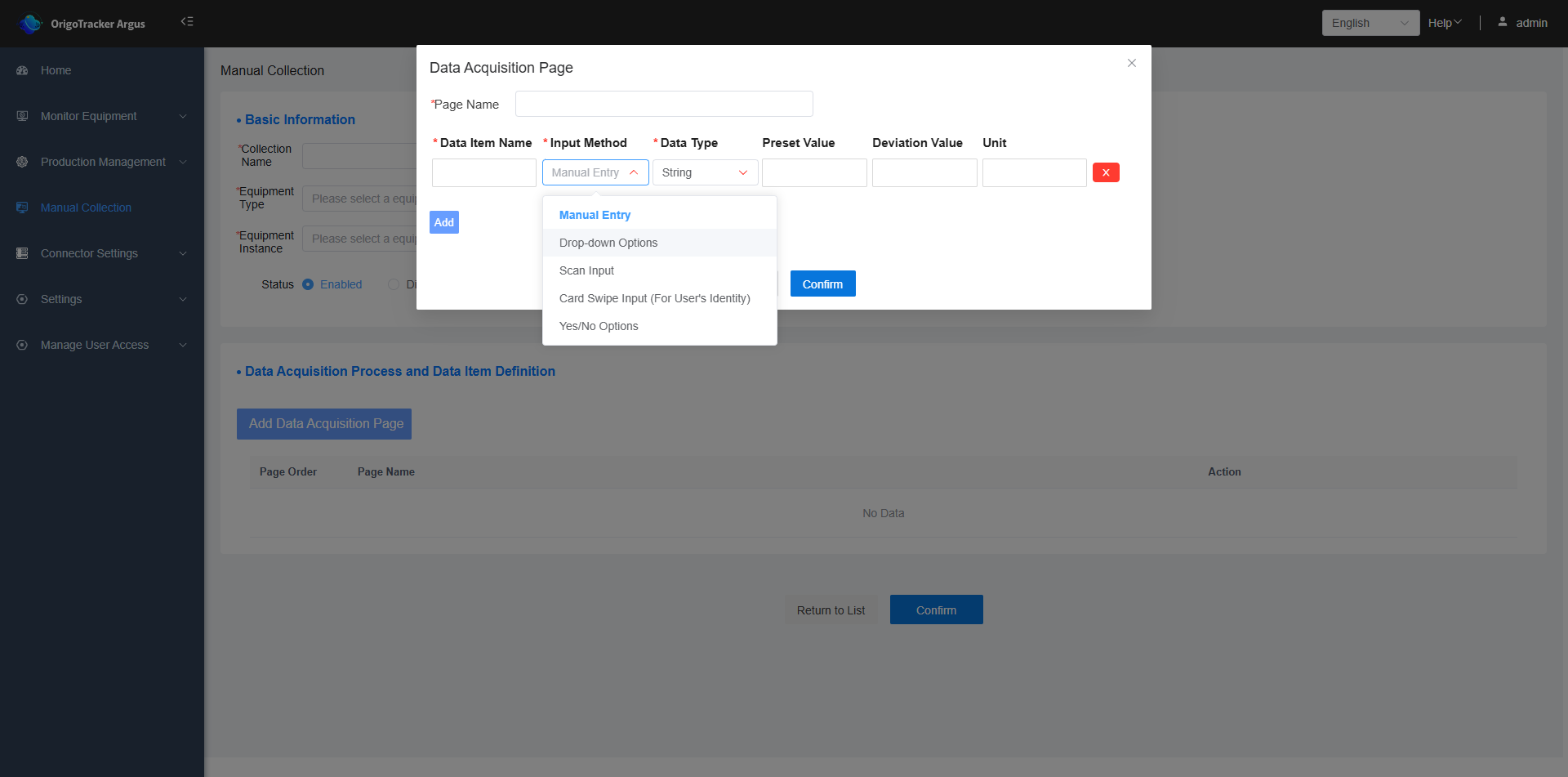
| Field | Description |
|---|---|
| Page Name | The name of the page displayed on the pad. |
| Data Item Name | The name of the data collection item, e.g., Temperature. |
| Entry Method | The method for tablet operators to enter data, including the following: Manual Input: Corresponds to an input text box on the pad. Dropdown Selection: Corresponds to a dropdown selection box on the pad. Scanner Input: Corresponds to a scanning function on the pad. Swipe Card Entry for User’s Identity: Corresponds to a card-swipe function on the pad. Yes/No Option: Corresponds to a yes/no selection option on the tablet. |
| Data Type | Only applicable when the entry method is "Manual Input". It restricts the values that pad user can input in the field. |
| Default Value | The preset value for this data item, which will be displayed on the tablet after entry (visible only if "Require Default Value" is checked in the previous step). |
| Unit | The unit of measurement for the data collected in this data item. |
After completing the setup, manual reporting page displayed on the Argus App from the pad automatically.