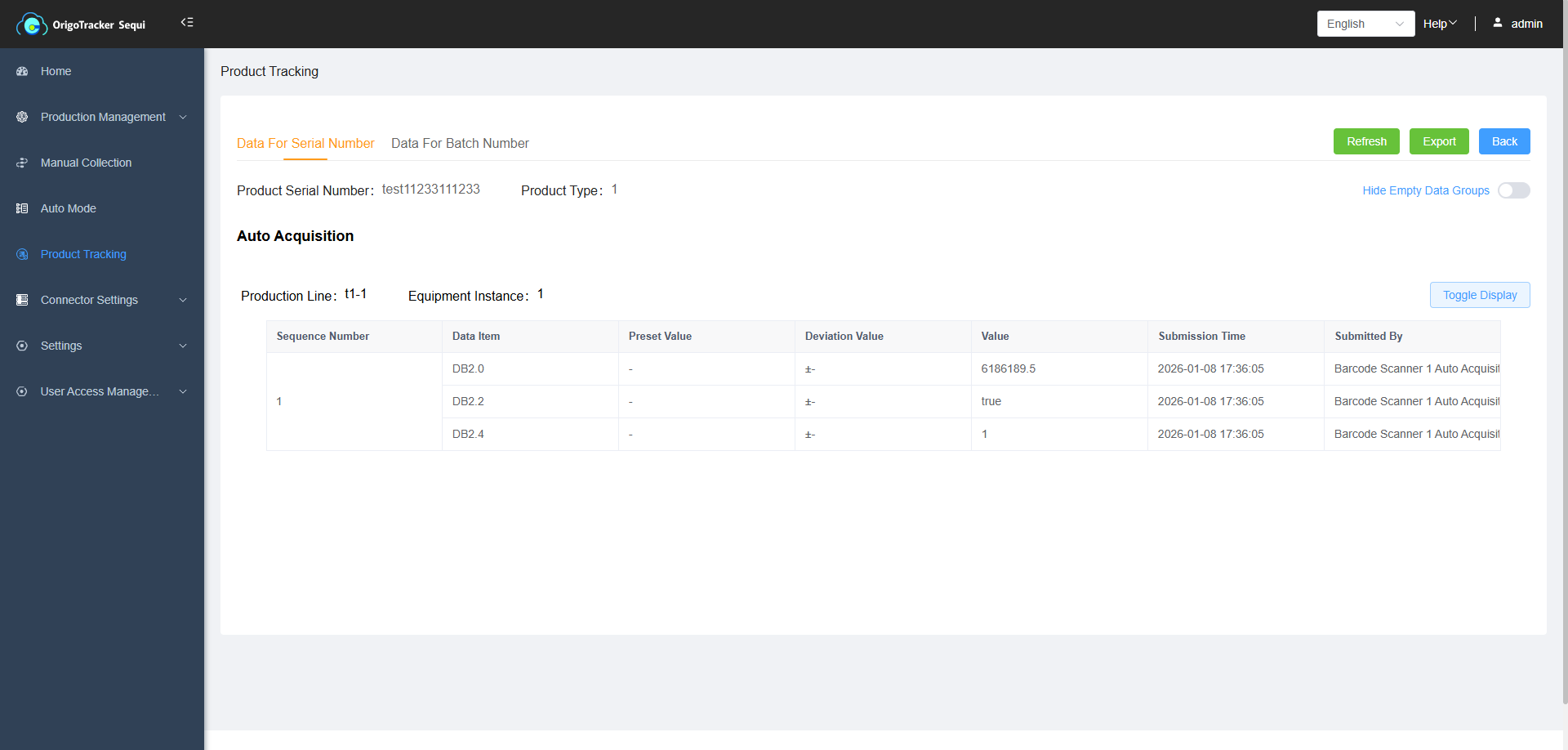
Product Data Tracking
There are two ways to view the collected product data:
1. View on the Product Data Tracking Page
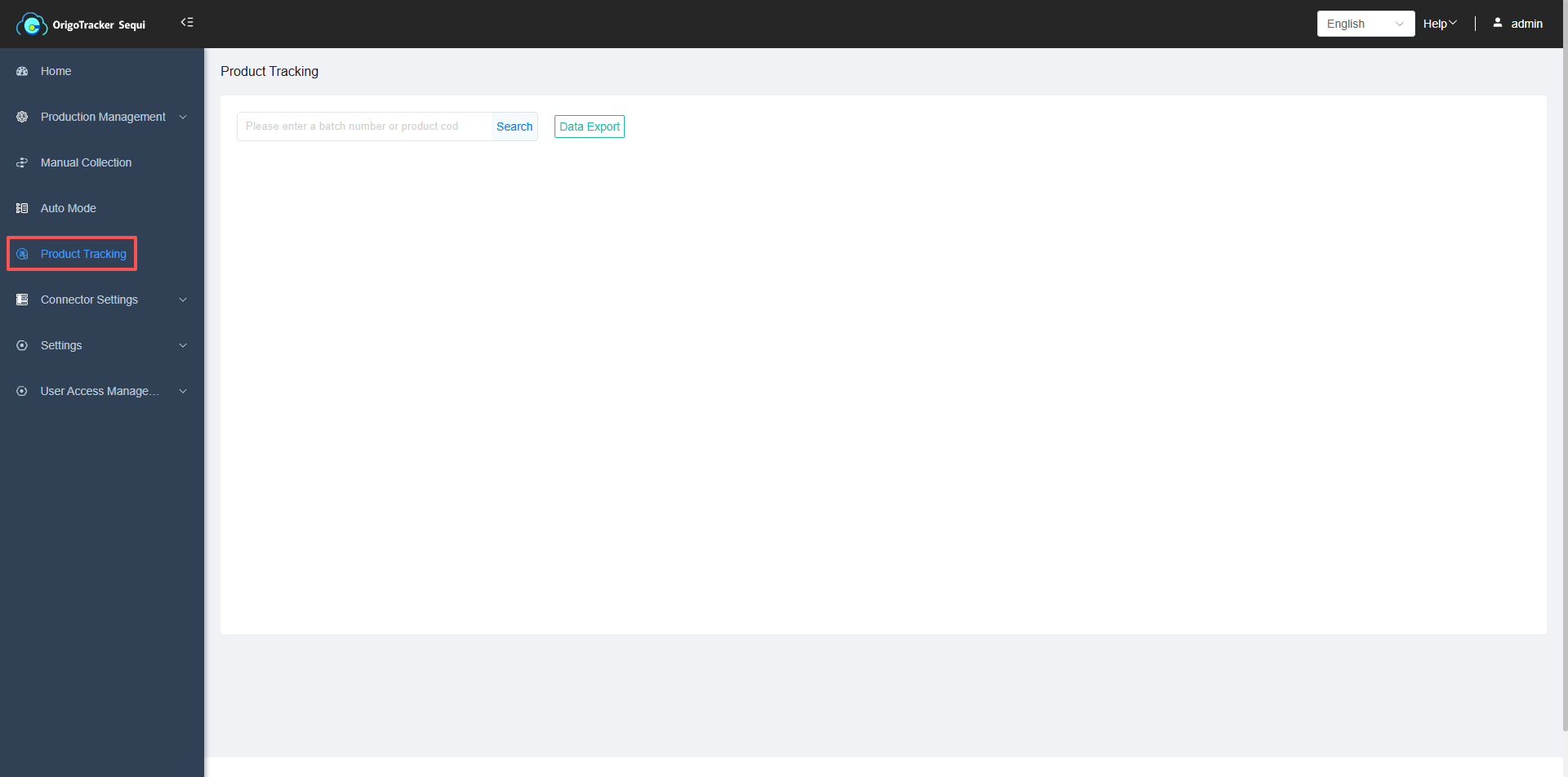
Go to the Product Data Tracking Page, and enter the serial/batch number to search.
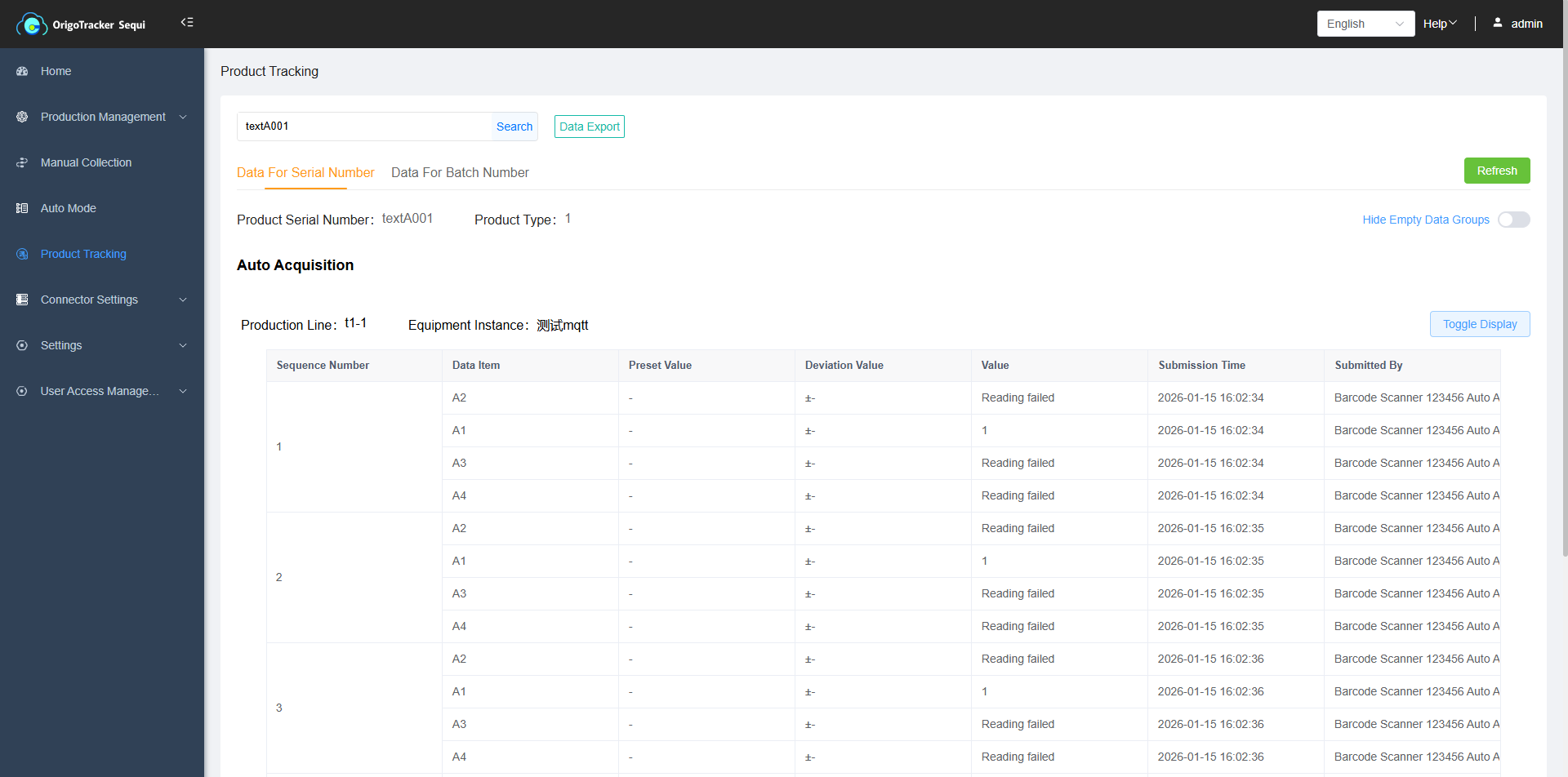
You can also export the collected data, just click the Export button
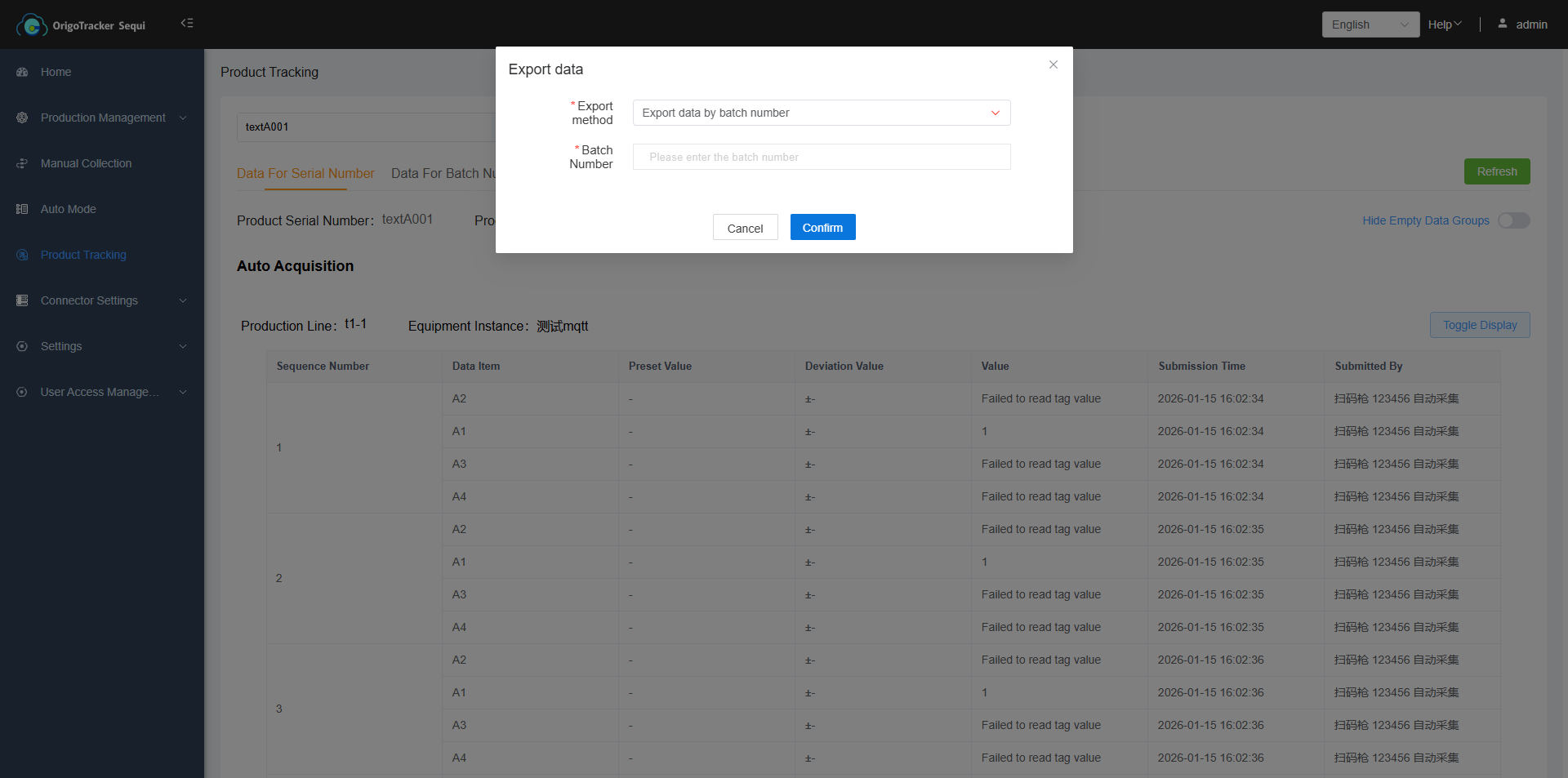
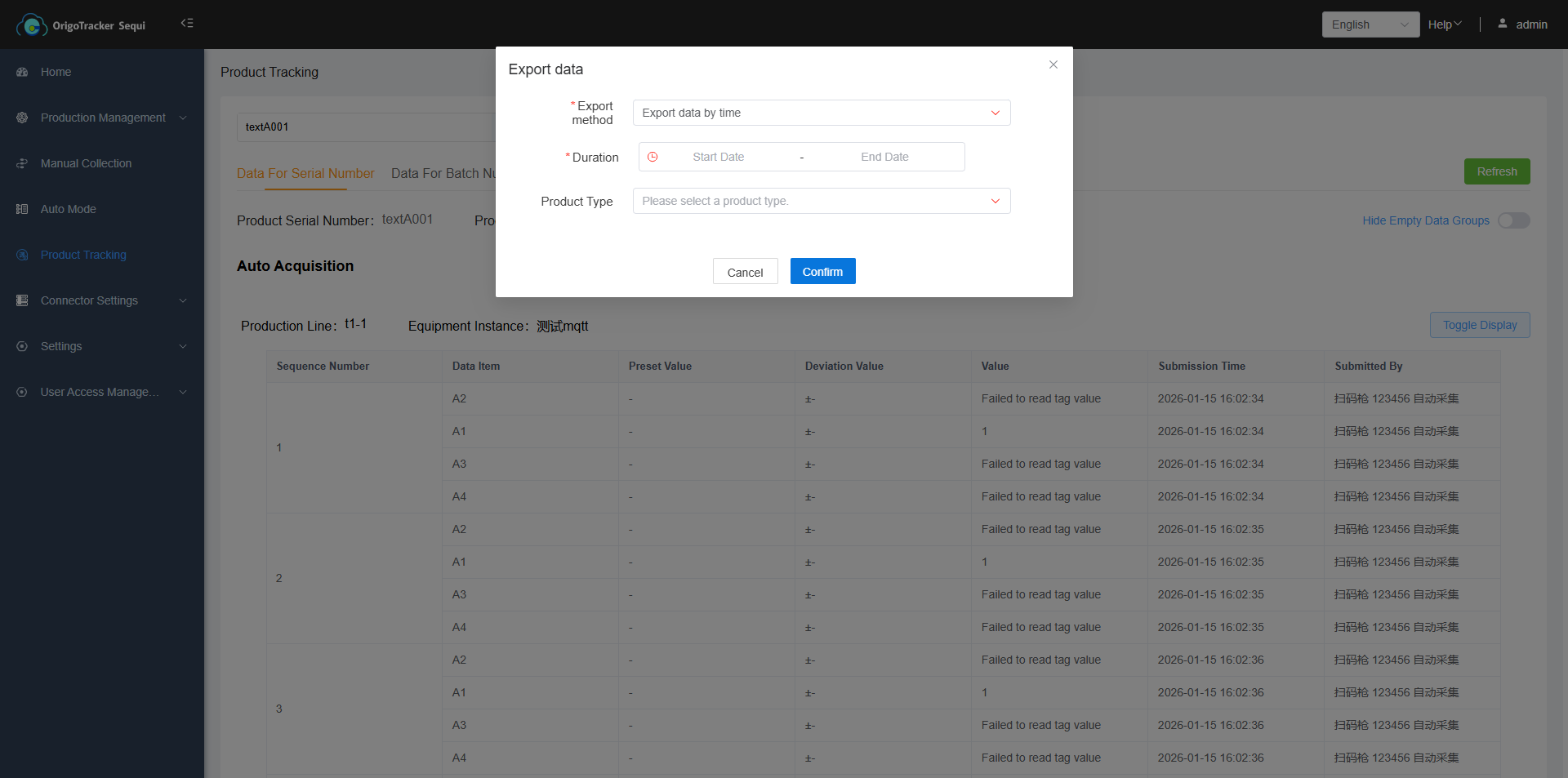 You can also export all the data by production time and product type (Optional)
2. View on the Product Type page
Go to the Product Type page, click the Data Tracking button next to the required product model number.
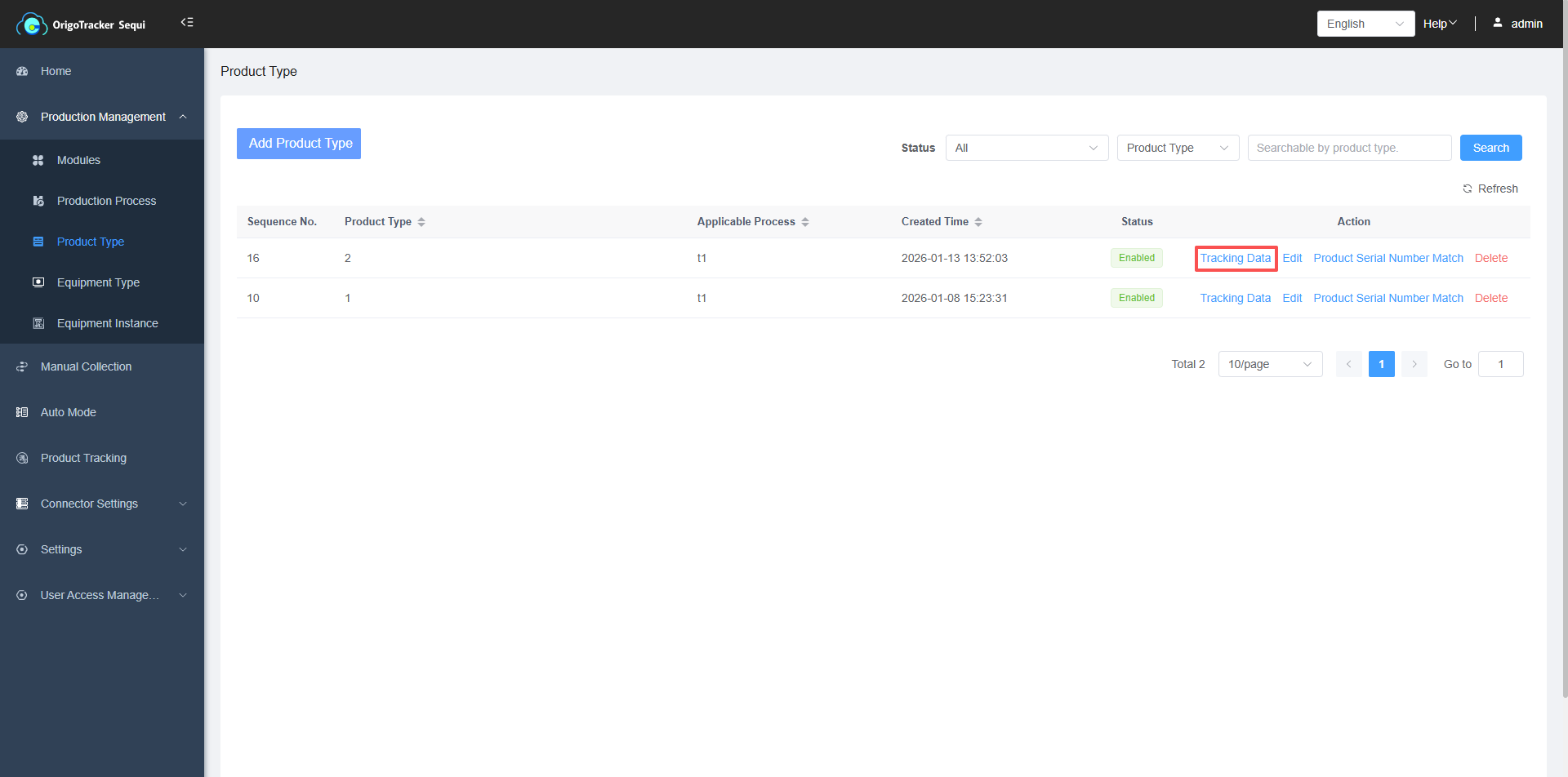
After entering the data tracking page, you can search the serial/batch number to view the related production data.
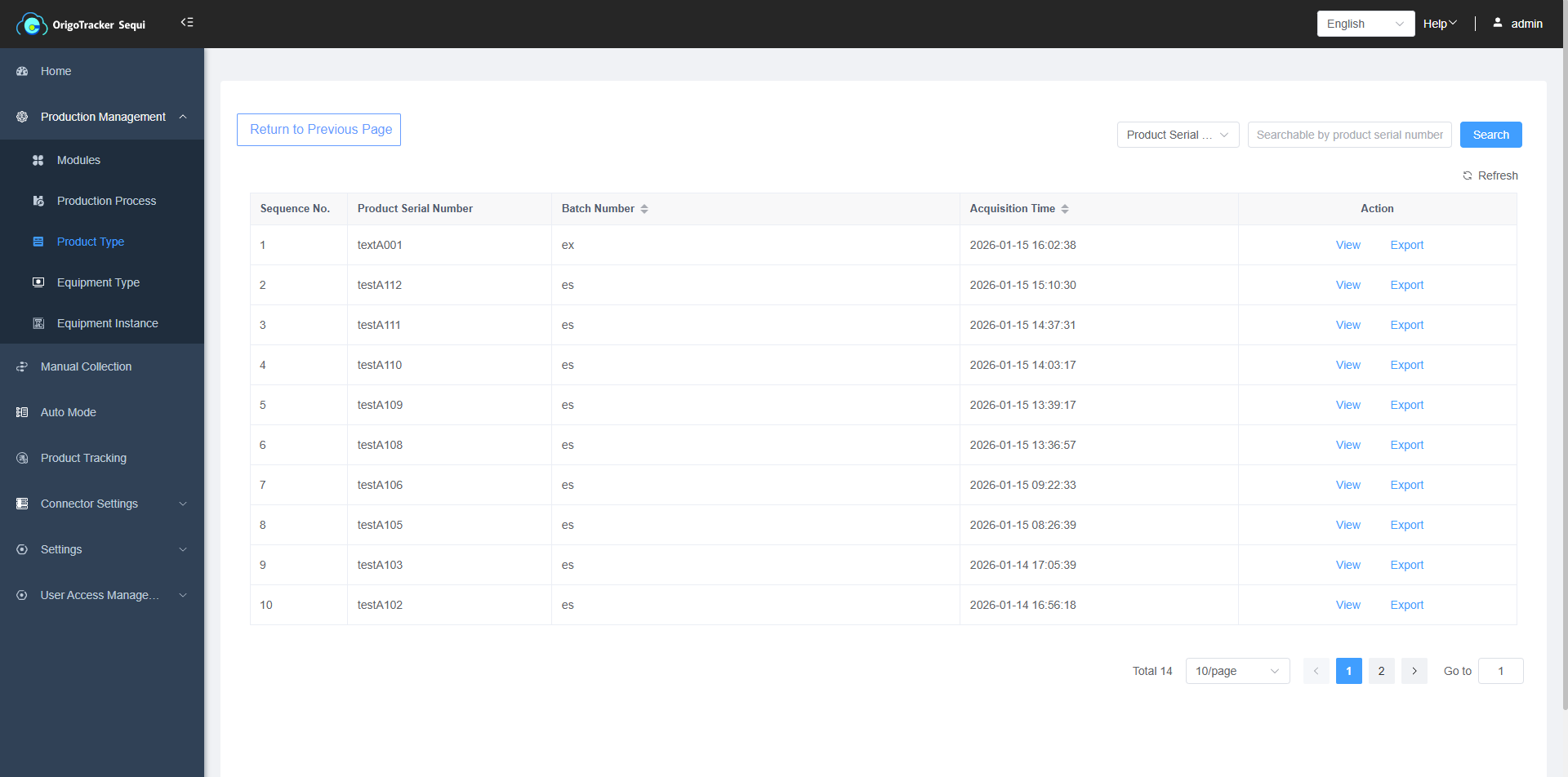
You can export the data displayed on the serial/batch number page