Scanner Configuration Example
Each brand of scanner may have different way of configuration. The example used here is called "ScanHome"
Key Requirement
User should check with the supplier of the scanner to see if the following requirement are satisfied
- Can be connected to a LAN, via network cable or WIFI
- Support HTTP protocol
Steps to setup the scanner.
- Install a configuration software provided by the manufacturer on a PC
- Connect the scanner to the PC
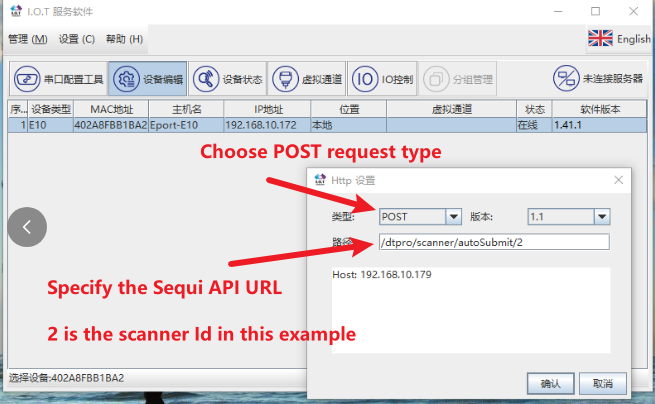
- Key settings
- IP address and port number of OrigoTracker Sequi
- A unique Id assign to the scanner
- URL of the service
Demo Steps
Scanner Settings
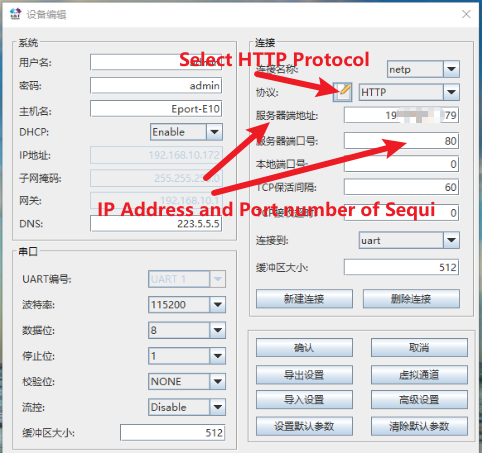
HTTP Settings