Equipment Type
1. Define Equipment Type
Before adding an equipment for monitoring, you need to create a equipment type first.
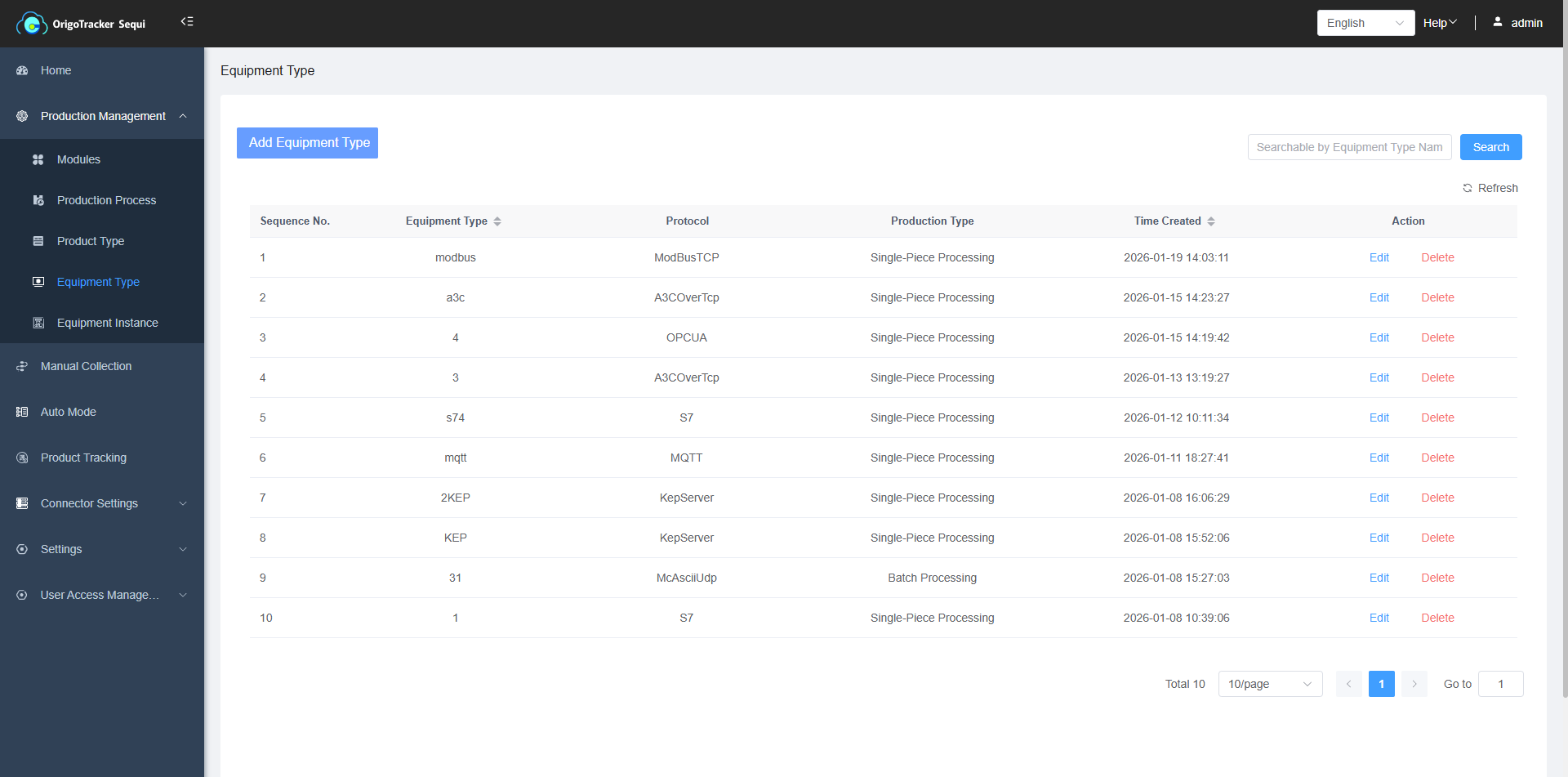
(1) Click on "Equipment Types".
(2) Click "Add equipment Type".
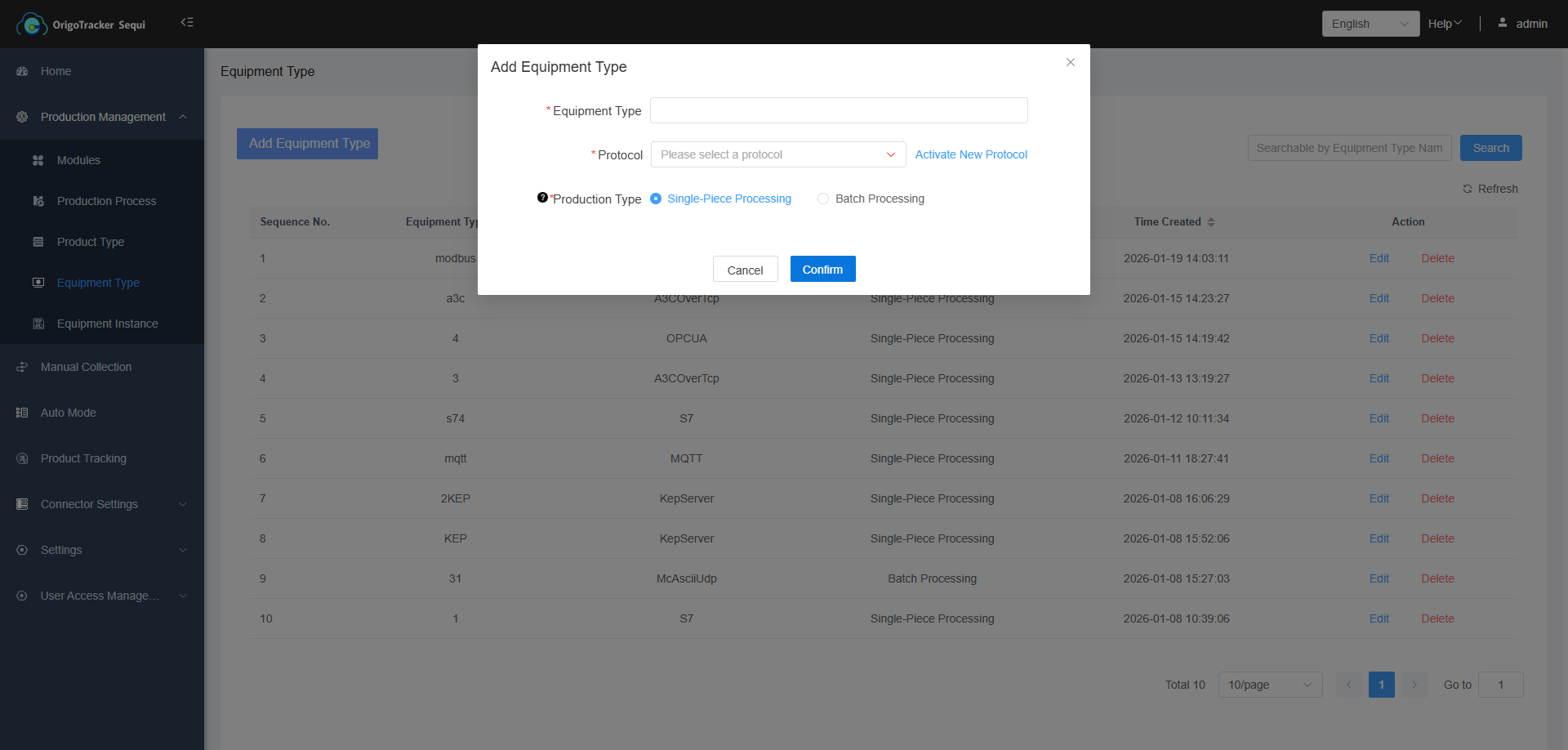
| Field | Description |
|---|---|
| Equipment Type Name | It is recommended that you classify equipment based on their type and the PLC protocol they use. For example: among 10 equipment, there are 8 press machines and 2 ovens. Out of the 8 press machines, 3 machine use PLCs with Protocol A, while the others use Protocol B. Both ovens use PLC with Protocol A. In this case, the equipment types would be "Press with Protocol A," "Press with Protocol B," and "Oven with Protocol A." This approach helps better manage subsequent automated data collection. |
| Protocol | The communication protocol of the PLC for equipment under this equipment type. |
| Production Type | Specifies whether this type of equipment produces one product at a time or multiple products per production cycle. |
2. Activate New Protocol
If the required PLC protocol is not in the list, user can click “Acitvate New Protocol”, the activation pop-up window is appeared.
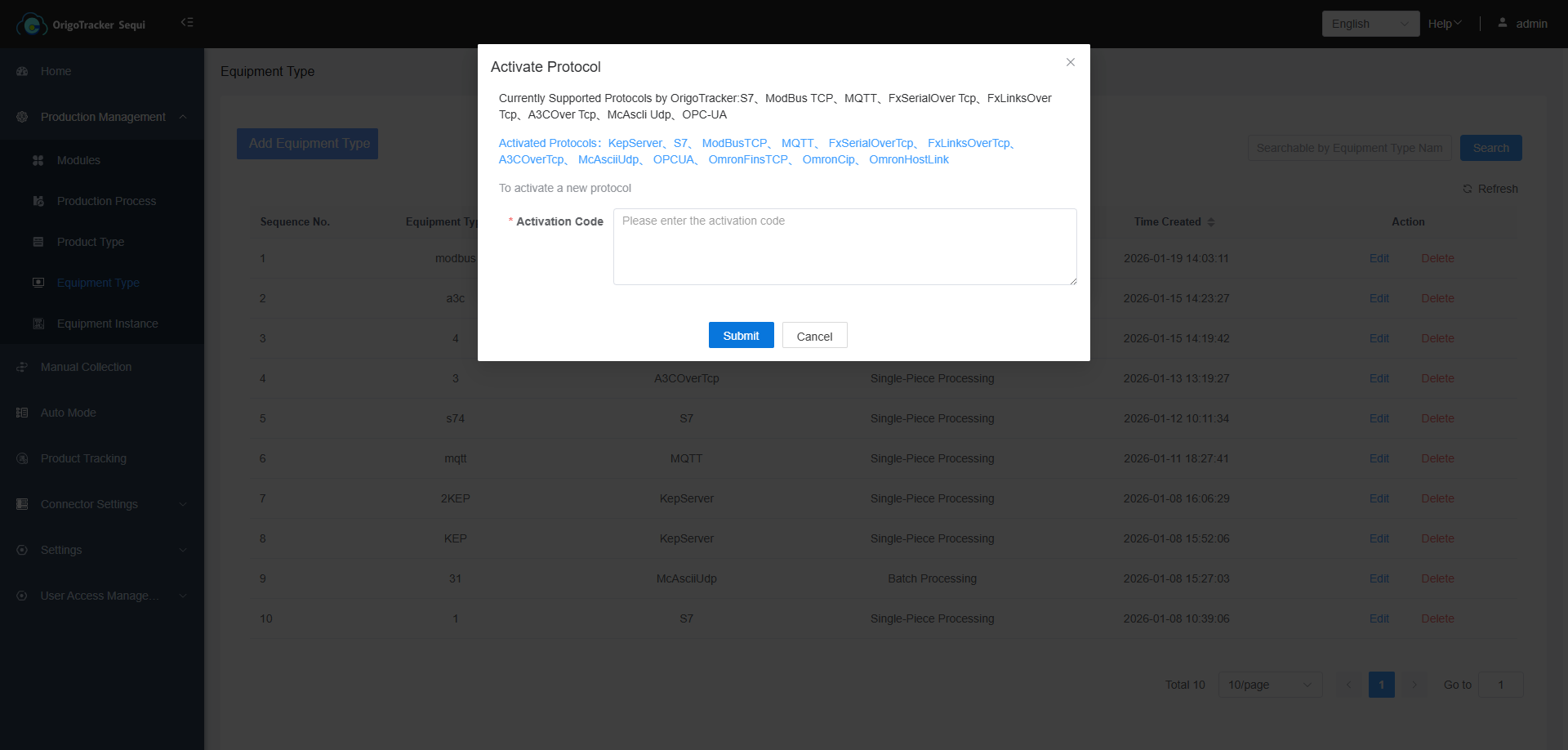
If you wish to activate a new protocol, please contact our customer service.
If you have already communicated with our customer service, enter the activation code in the input box to activate the new protocol.