Kep server
Kepware Server (KEP Server) is a software platform developed by PTC Inc. It is used to connect to PLCs and read/write tag data from them.
If you intend to use KEP Server for tag management and data read/write operations, you must first configure the following: Set up OPC UA connection for KEP Server and Automatically retrieve tags definition from KEP Server
Go to KEP Server
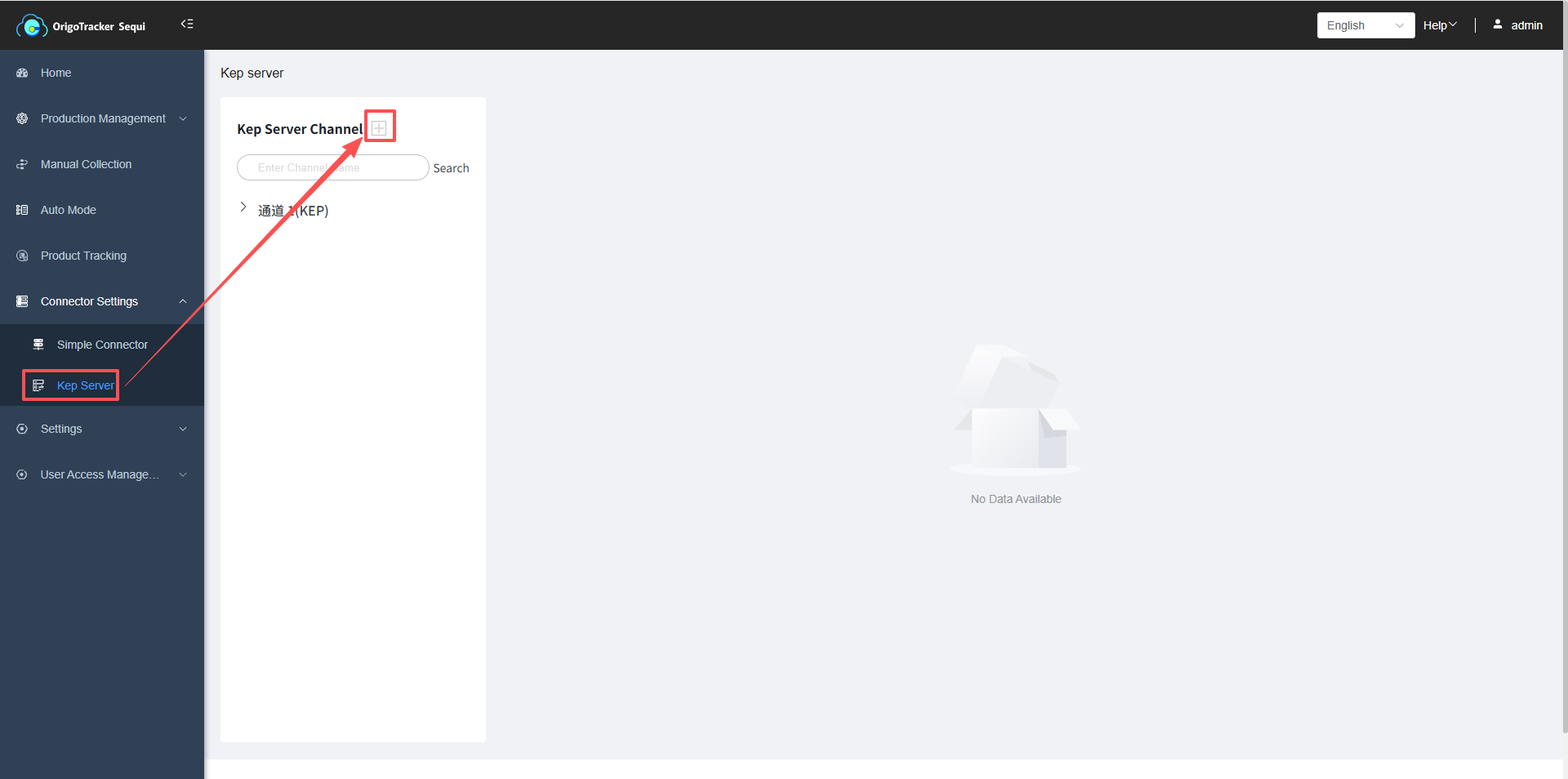
Click the plus sign next to the channel list—adding a channel means adding a communication protocol.
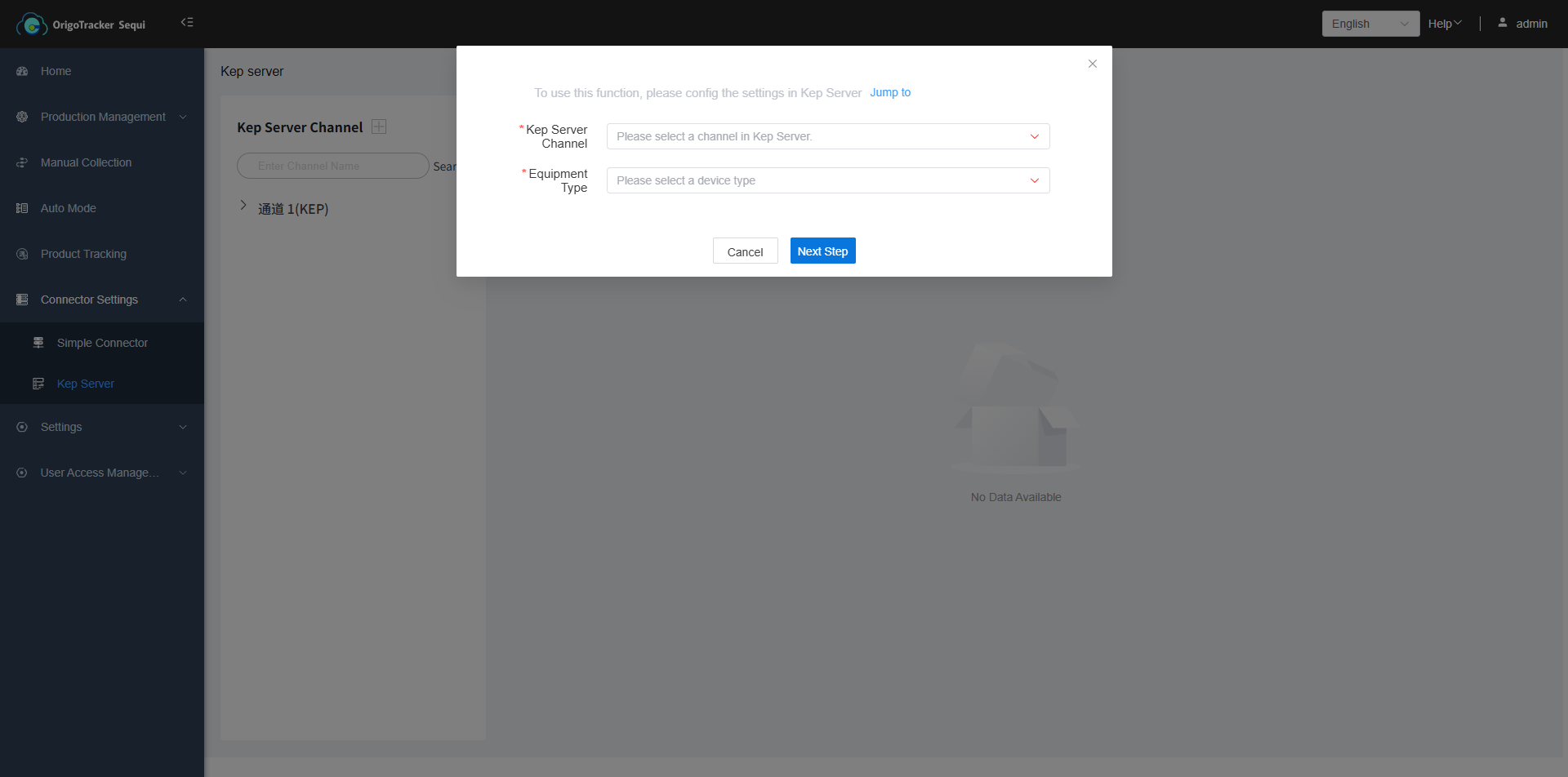
| Field | Description |
|---|---|
| Kepware Server Channel | Select an existing channel from Kepware Server. |
| Equipment Protocol Type | Choose the equipment protocol type you previously added; click to view the configuration details. |
Click Next to proceed.
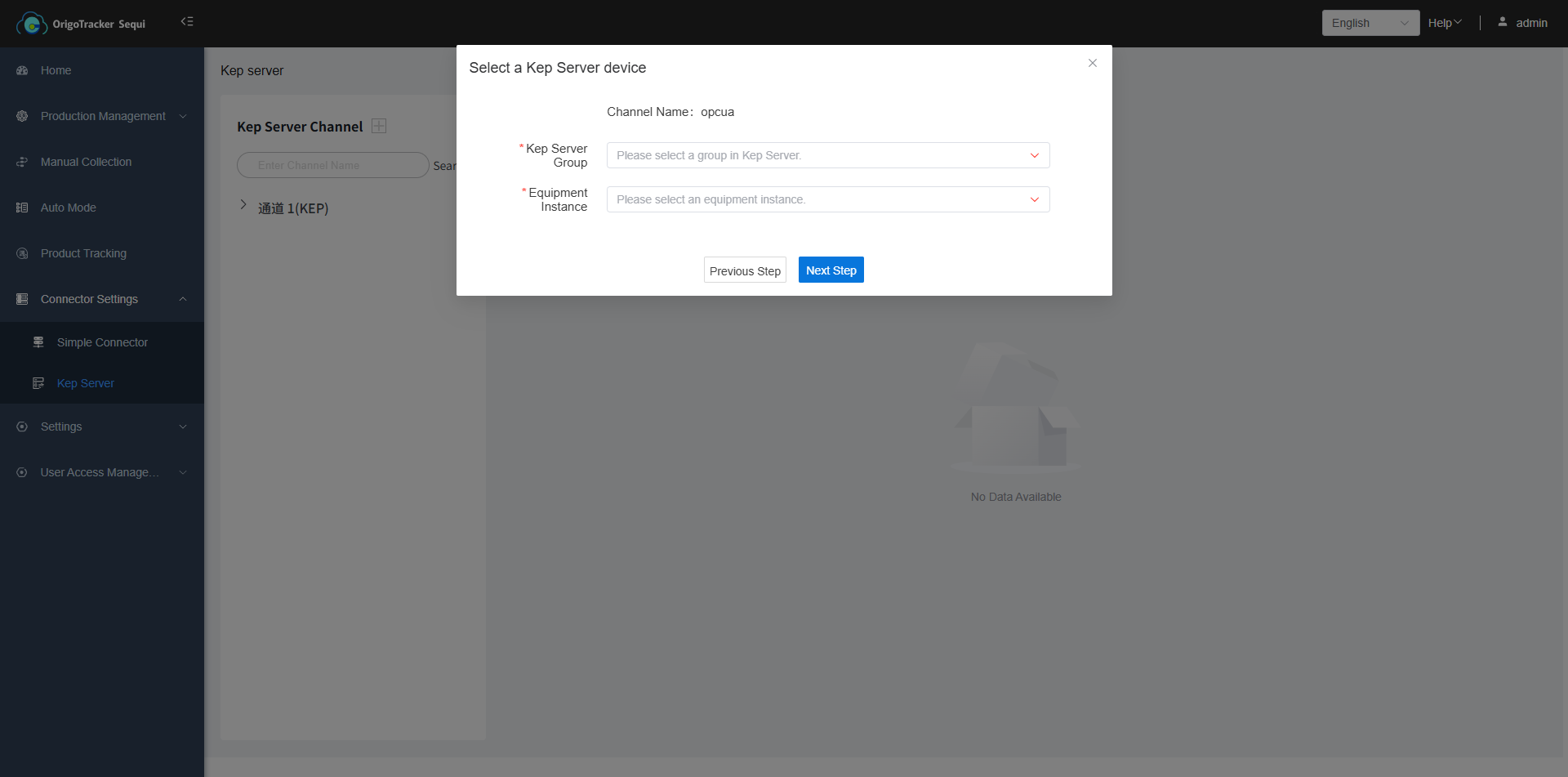
| Field | Description |
|---|---|
| Kepware Server Group | Select an existing group under the chosen channel in Kepware Server. |
| Equipment Instance | Choose a equipment instance under the selected protocol type. If no device instance has been added yet, click to view details and set one up. |
Click Next to proceed.
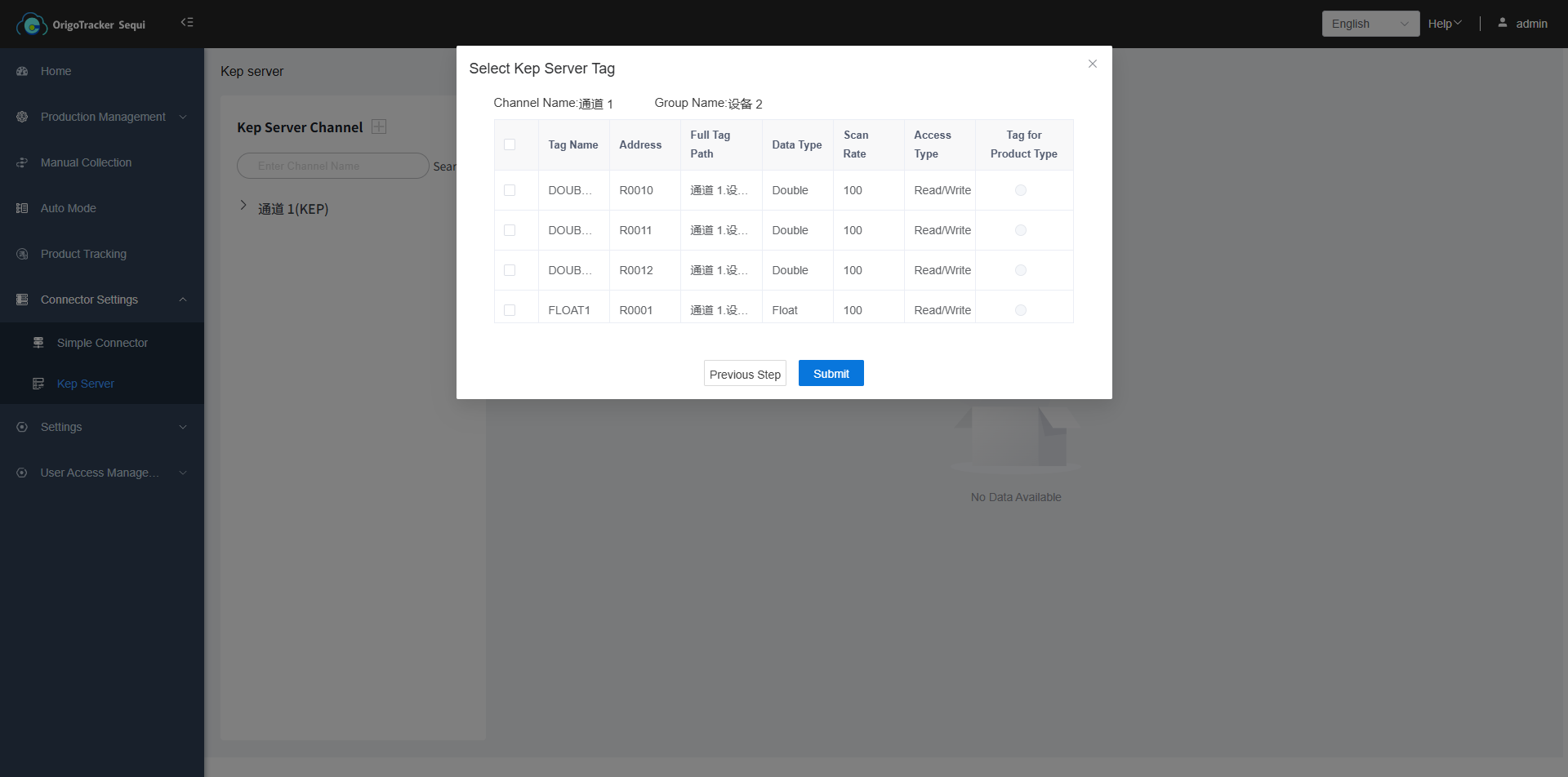
Select existing tags under the chosen Kepware Server group for read/write operations.
Tag for Product Type: This tag is used by the system to automatically identify and associate the product model during data collection.