Automatic KEP Server Tag Retrieval
Yunnayuan supports directly retrieving tags from the Kep server, eliminating the need for manual tag addition in the system. However, you must first configure the relevant settings in the KEP Server.
- Settings in KEP erver
(1) Right-click the KEPP Server icon.
(2) Click "Settings".
(3) Select the "Configuration API Service" tab and ensure the three options are correctly filled:
Enable: Yes
Enable HTTP: Yes
CORS Allowed Origins: *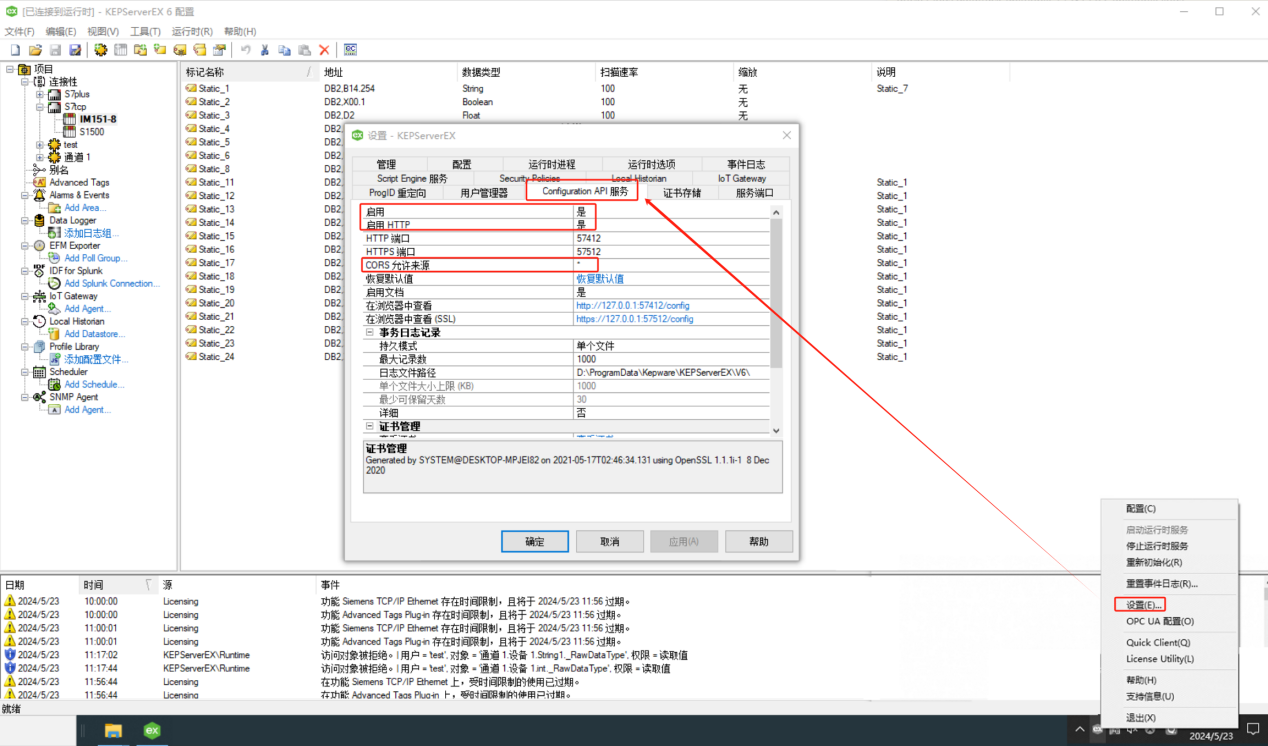
- Return to OrigoTracker Sequi and click "Settings".
- Click on "KEP Server Configuration".
The red box area indicates the KEP Server tag retrieval configuration.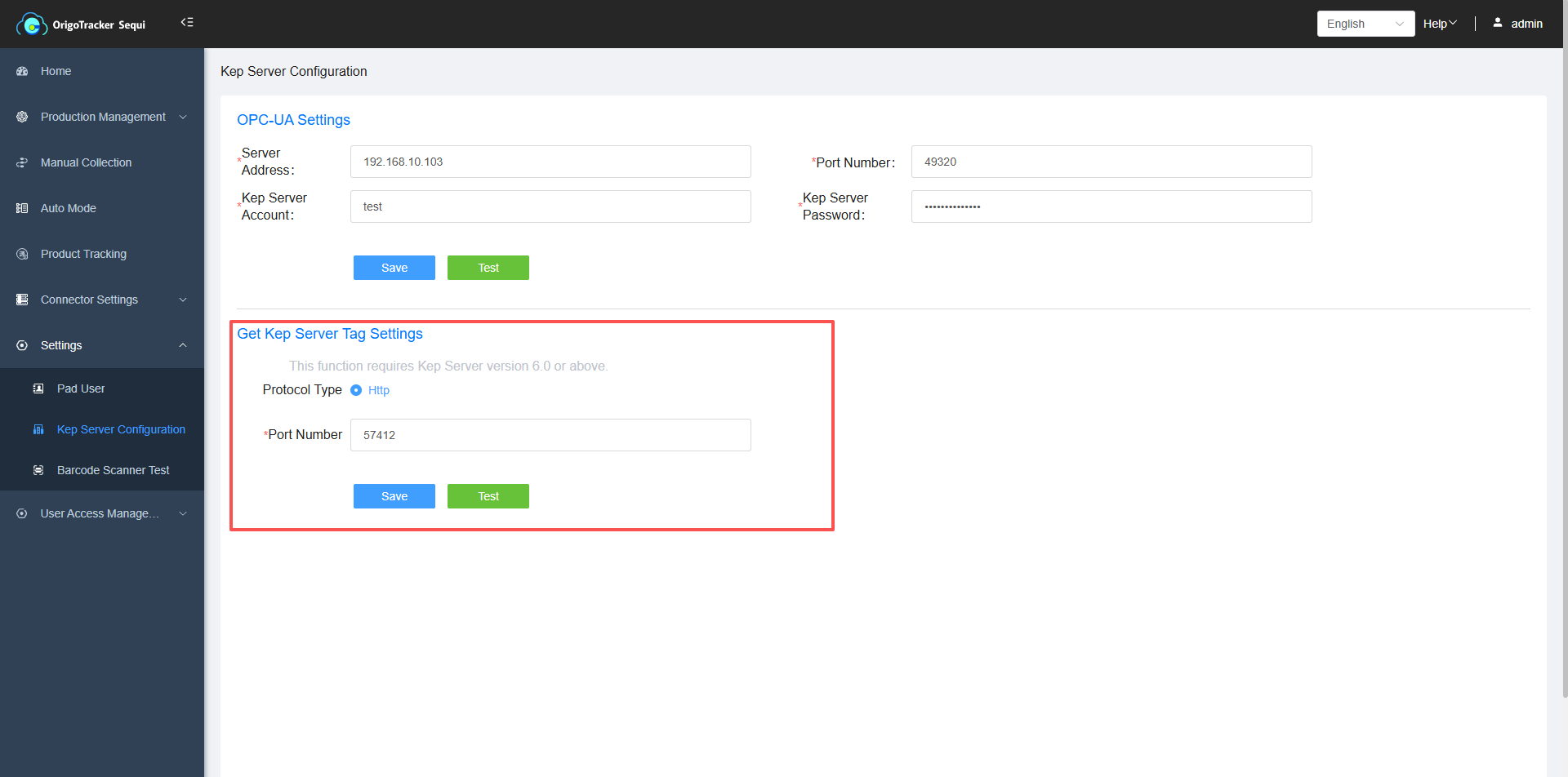
Port Number: Enter the HTTP port number from the first screen shot.
Click "Test". If there are no issues, it will display "Connection OK".