OPC-UA Configuration
OPC UA is the communication protocol used between the system and Kepware Server (KEP Server).
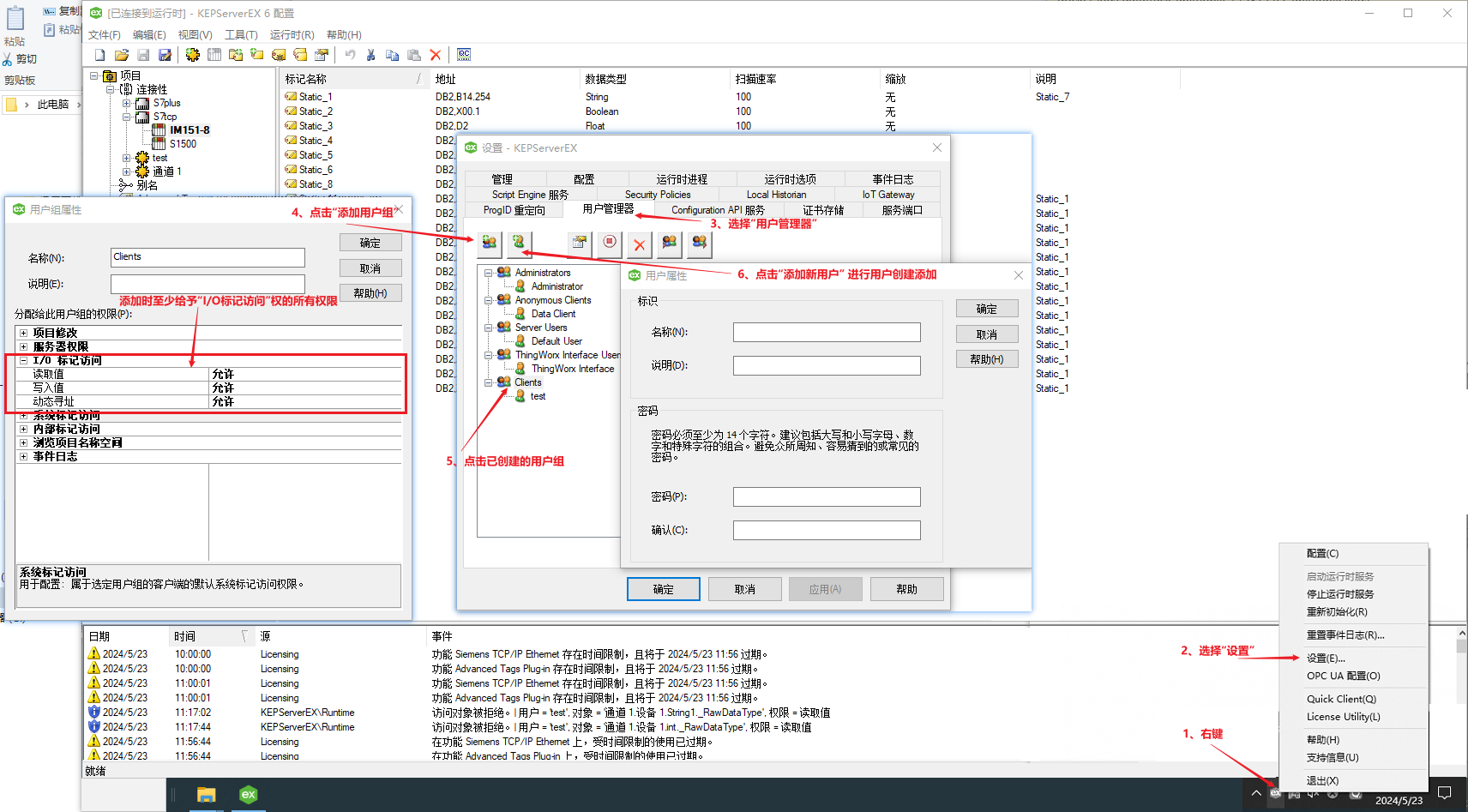
To collect equipment data via KEP Server, you must first complete the corresponding OPC UA configuration.
(1) Configuration in KEP Server
After launching KEP Server, right-click its system tray icon and configure the relevant settings as shown in the image below.
 (2) Return to the OrigoTracker Sequi and click "Settings".
(3) Click on "Kep Server Configuration".
The red box area indicates the OPC-UA setup.
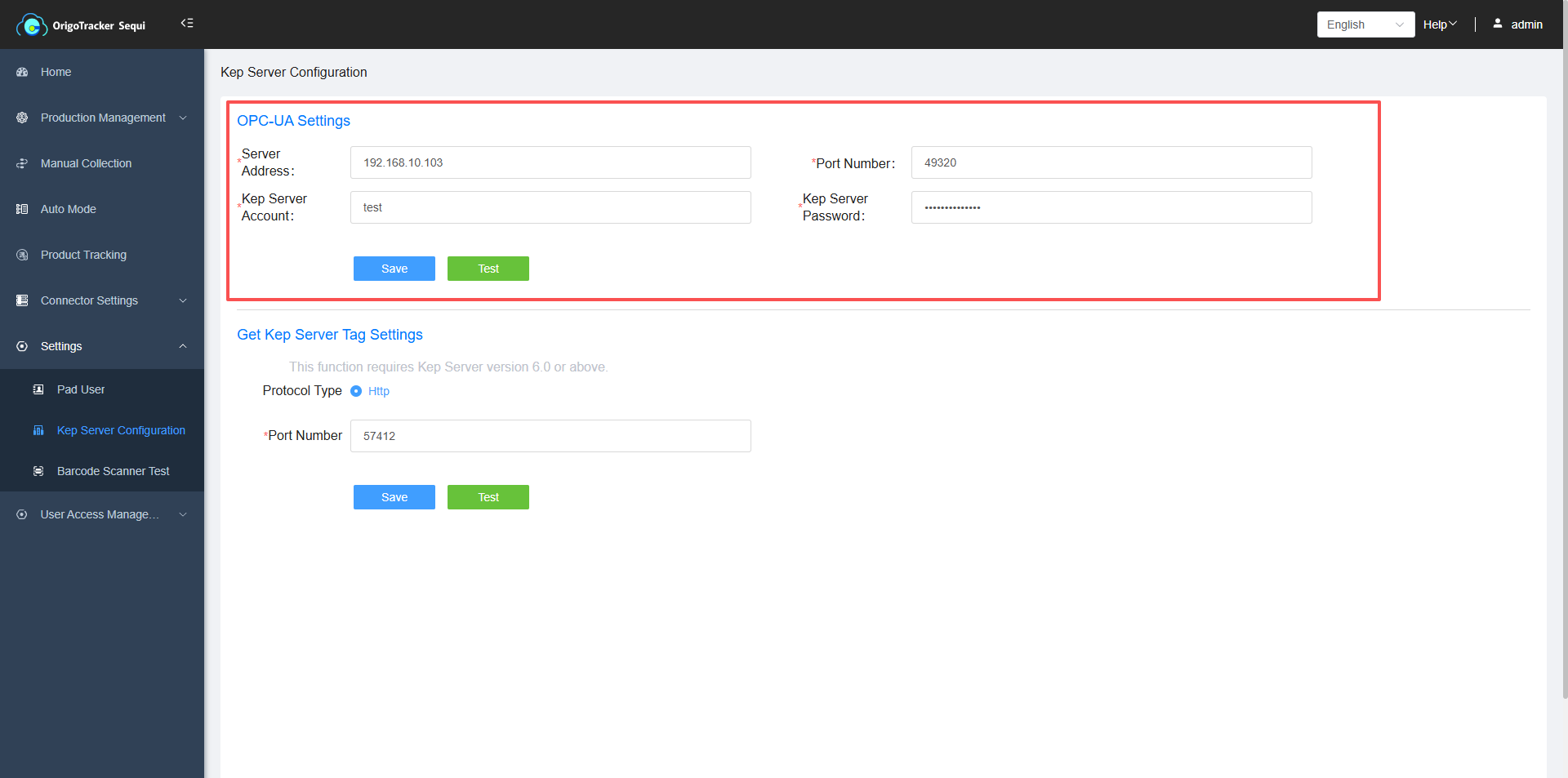
| Field | Description |
|---|---|
| Server Address | The IP address of the Kep server. |
| Port Number | The port number of the Kep server service. |
| Kep Server Account | User Name of the KEP Server |
| Kep Server Password | Password required to login to the KEP Server |
Click "Test". If there are no issues, it will display "Connection OK".