Automatic Data Acquisition
The OrigoTracker Sequi can use a barcode scanner to scan product serial number/batch number, triggering the automatic collection of production data from equipment and binding the data to the barcode. The scanner can only trigger the collection of PLCs and data tags configured in the connector.Click Here to see the connector setting
The steps to add automatic data collection are as follows:
1. Automactic Data Collection Definition
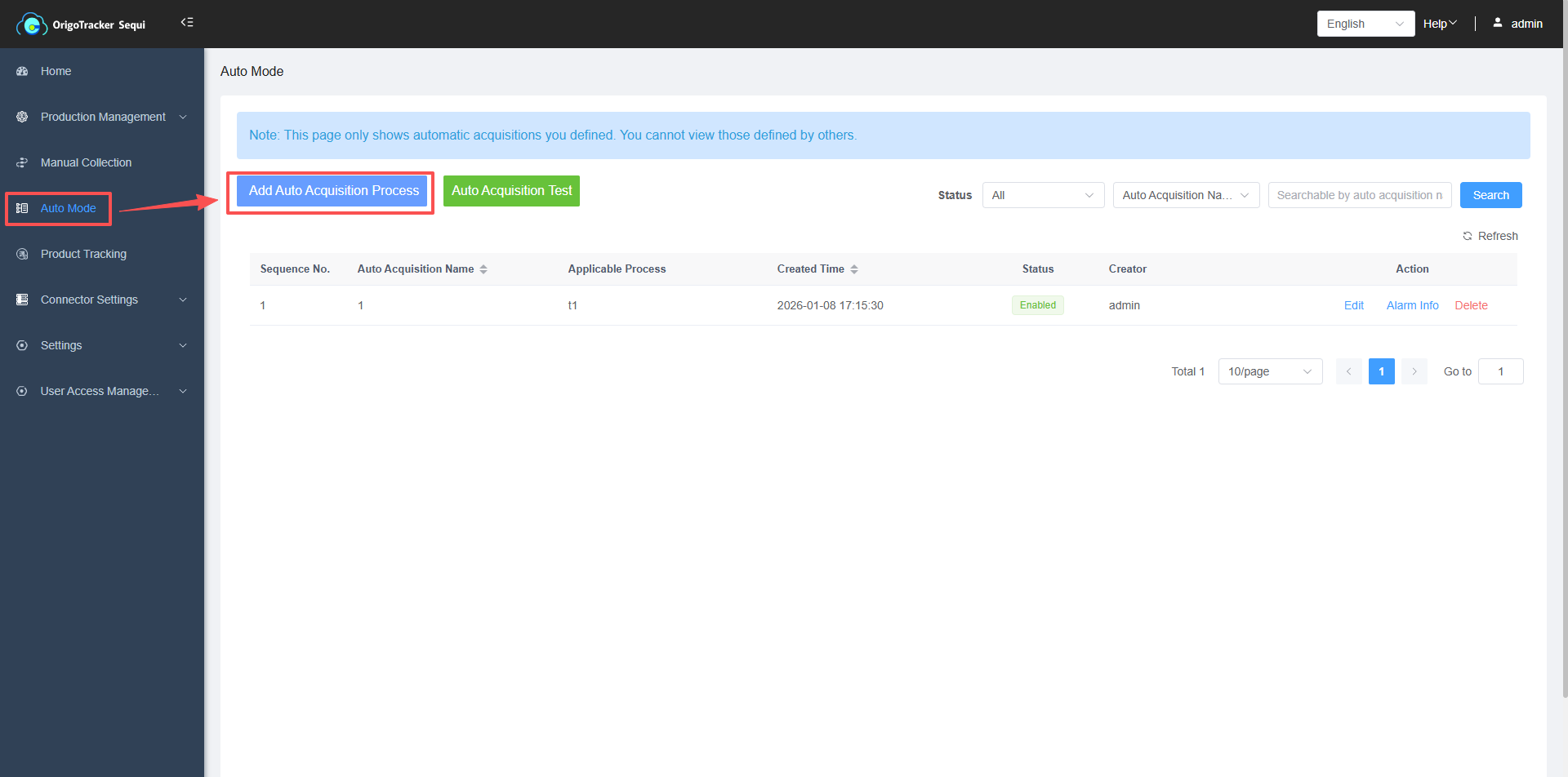
Go to the Auto Mode page and click "Add Automatic Acquisition".
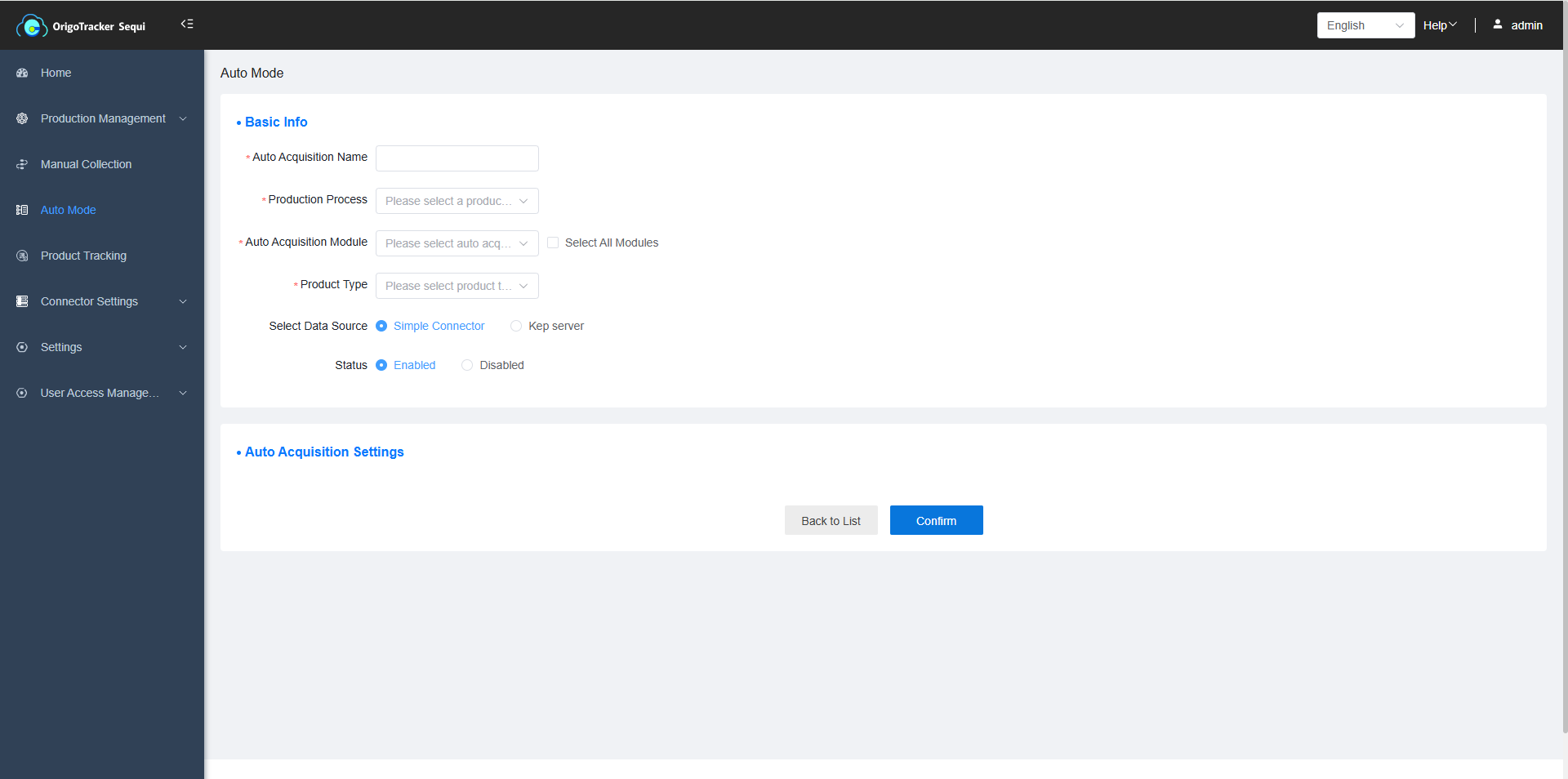
| Field | Description |
|---|---|
| Automatic Acquisition Name | Defined name for the acquisition process |
| Production Process | Select the previously defined production process. |
| Automatic Collection Module | Select the previously defined module that requires device data collection. |
| Product Type | Select the product model under the production process. |
| Data Source | When collecting equipment data, choose one connector for equipment data collection. (KEP Server or built-in Simple Connector) |
| Status | Once disabled, production equipment data for this product model cannot be collected. |
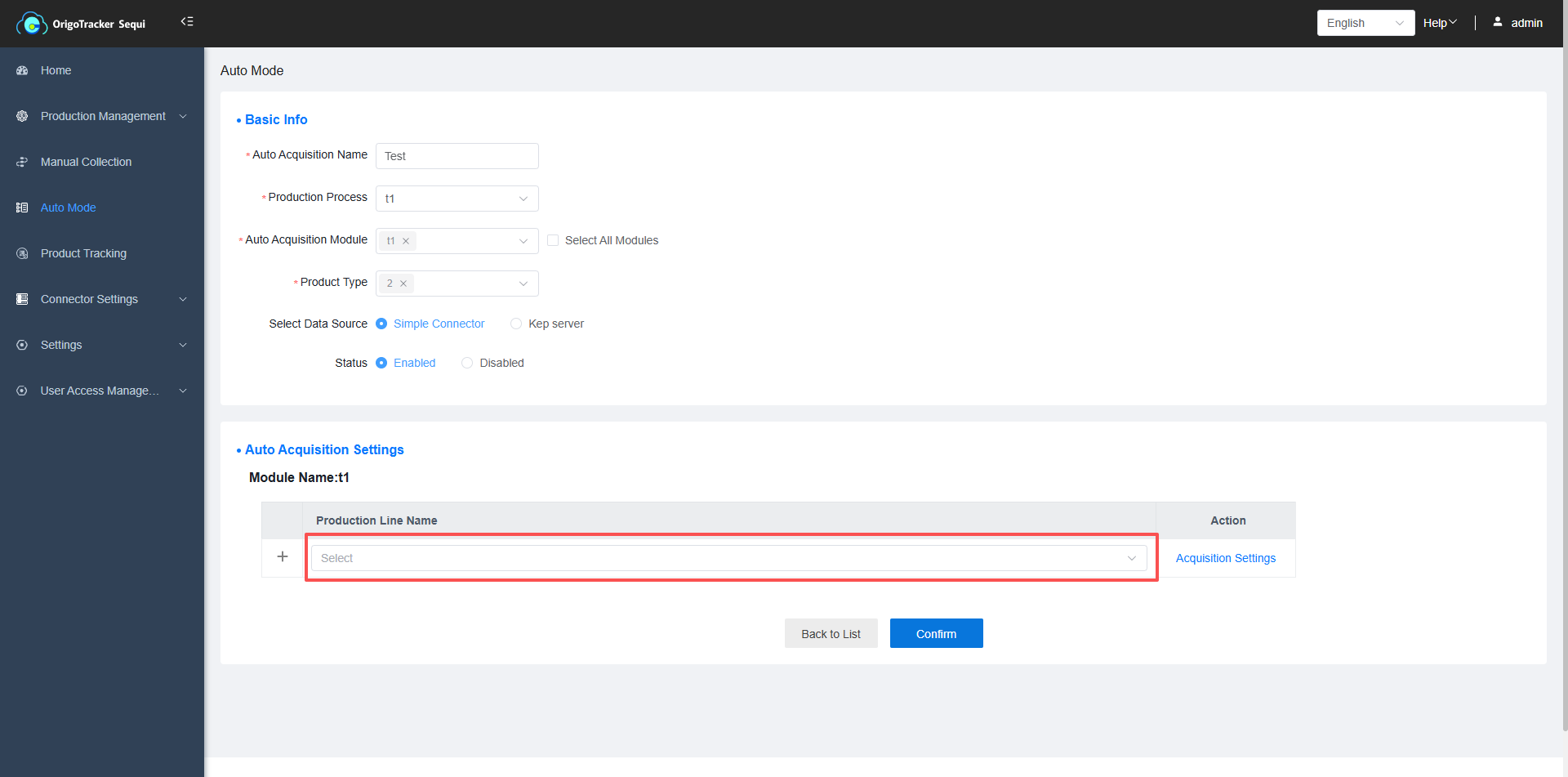
2. Select production line for the product type in the module.
| Field | Description |
|---|---|
| Production Line | Select one of the line in the module for the product type. |
3. Collection Settings for Automatic Collection
Click Collection Settings
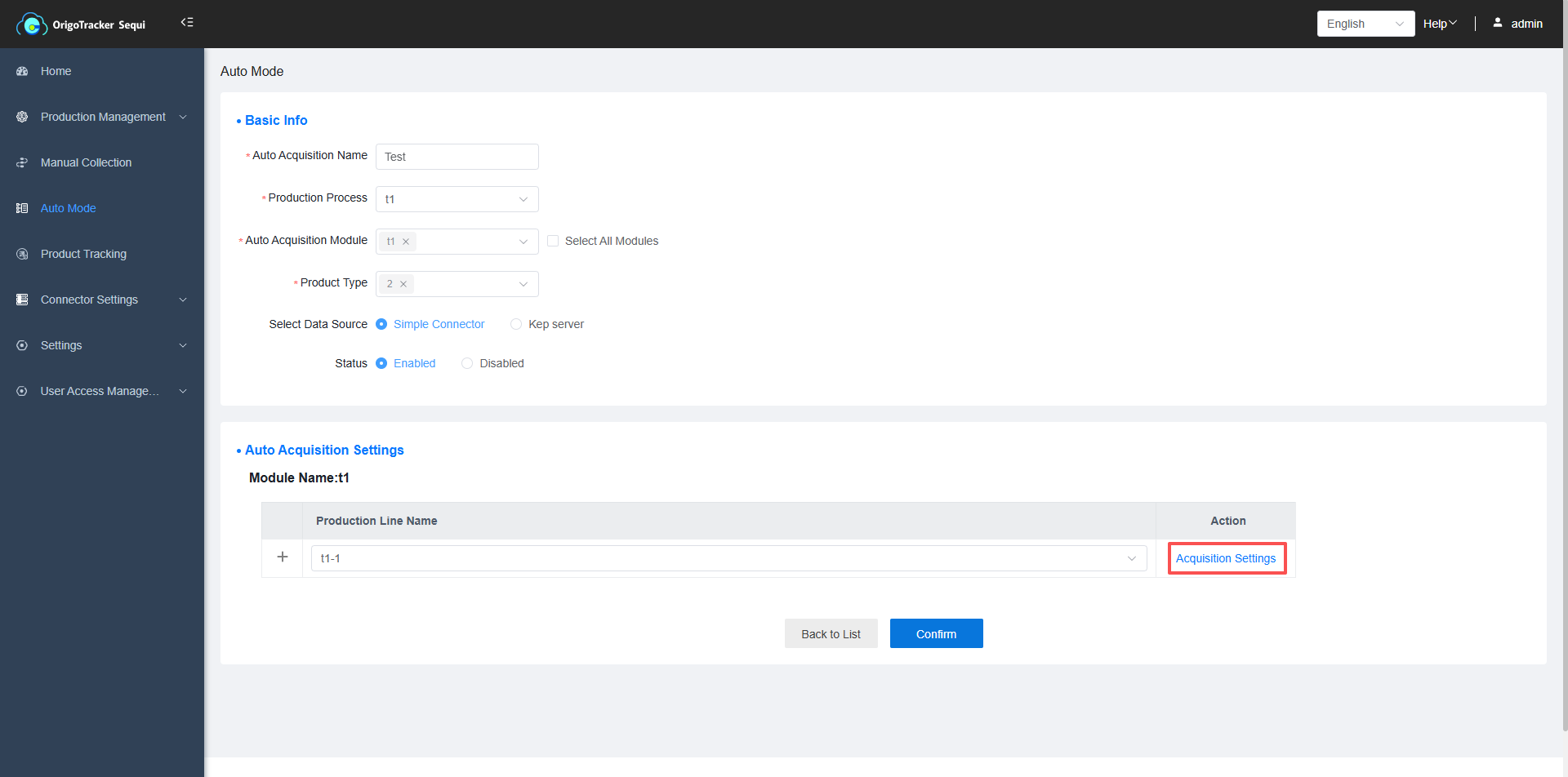
Setting popup window appears
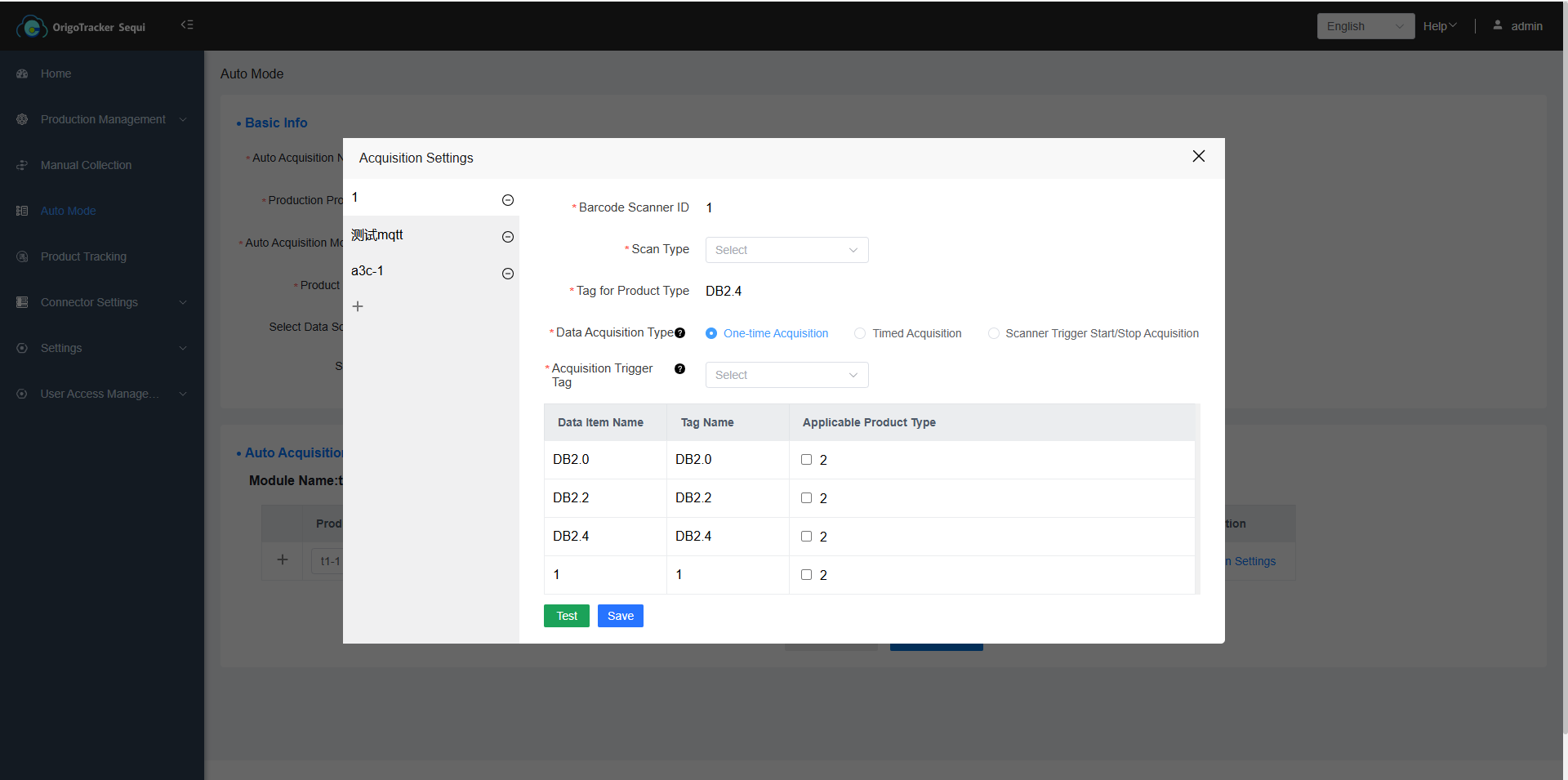
On the left are the equipment under this production line, and on the right are the settings for automatic data collection for these equipment.
| Field | Description |
|---|---|
| Scan Type | Whether the collected data is bound to a batch number or a serial number. |
| Tag for Product Type | When automatic collection is triggered, the system needs to know the product model for this collection. Engineers must pre-configure the product model for the current production in the PLC, and use a data tag to store the product type. |
There are three types of data collection frequencies:
(1) One-Time Collection Function Description:
One-Time Acquisition: After triggering automatic collection, equipment data is collected once only.
| Field | Description |
|---|---|
| Delayed Collection | After the barcode scanner scans, the system will wait for a specified period (customizable by the user) before collecting device data. |
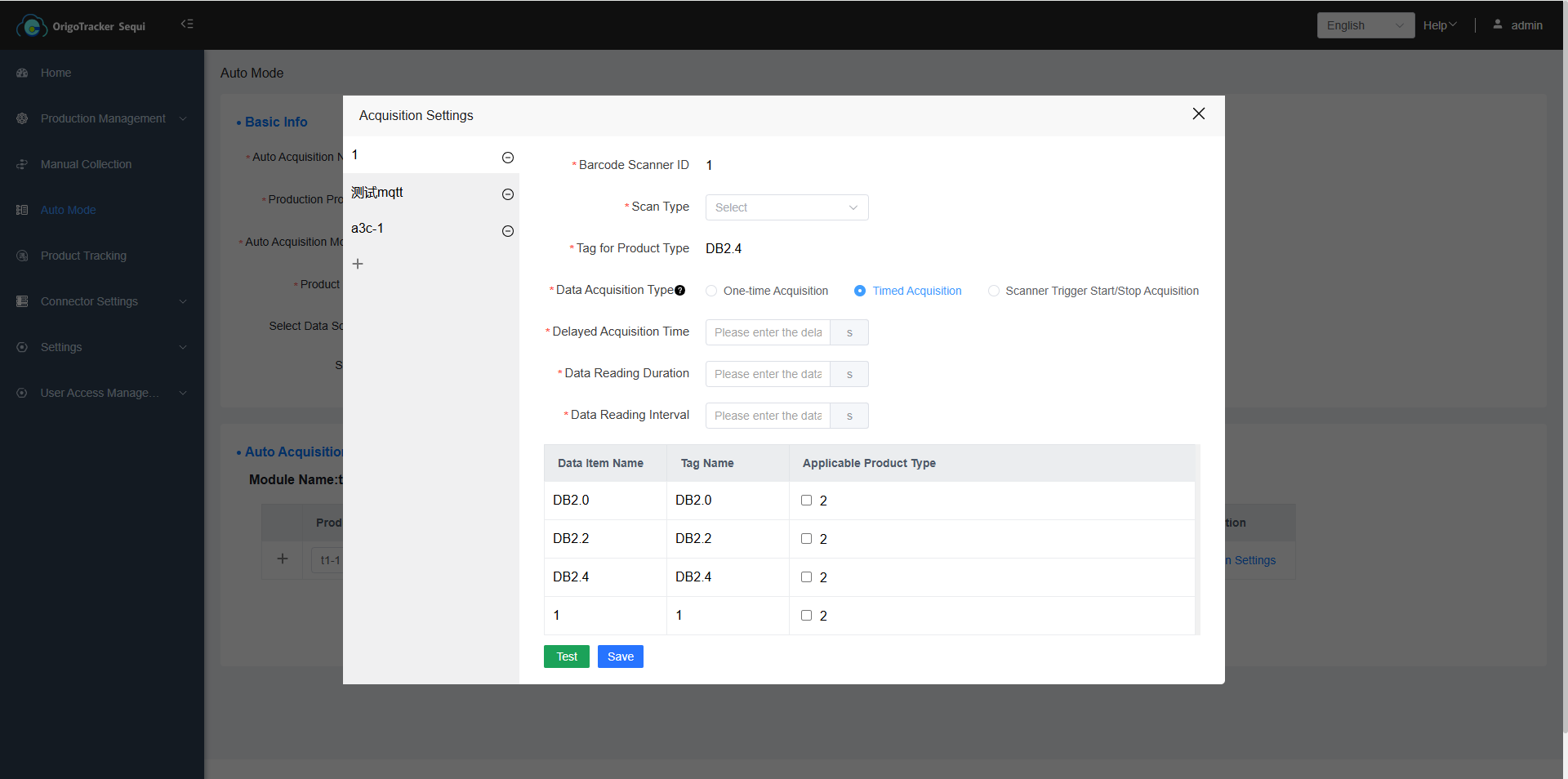
(2) Continuous Collection Function Description
Timed Acquisition: After triggering automatic collection, equipment data will be continuously collected until the specified collection time ends.
| Field | Description |
|---|---|
| Delayed Collection Time | After the barcode scanner scans, the system will wait for a specified period (customizable by the user) before collecting equipment data. |
| Data Collection Duration | The duration for which data is collected. |
| Data Collection Interval | Data is collected at regular intervals (customizable by the user) until the collection duration ends. |
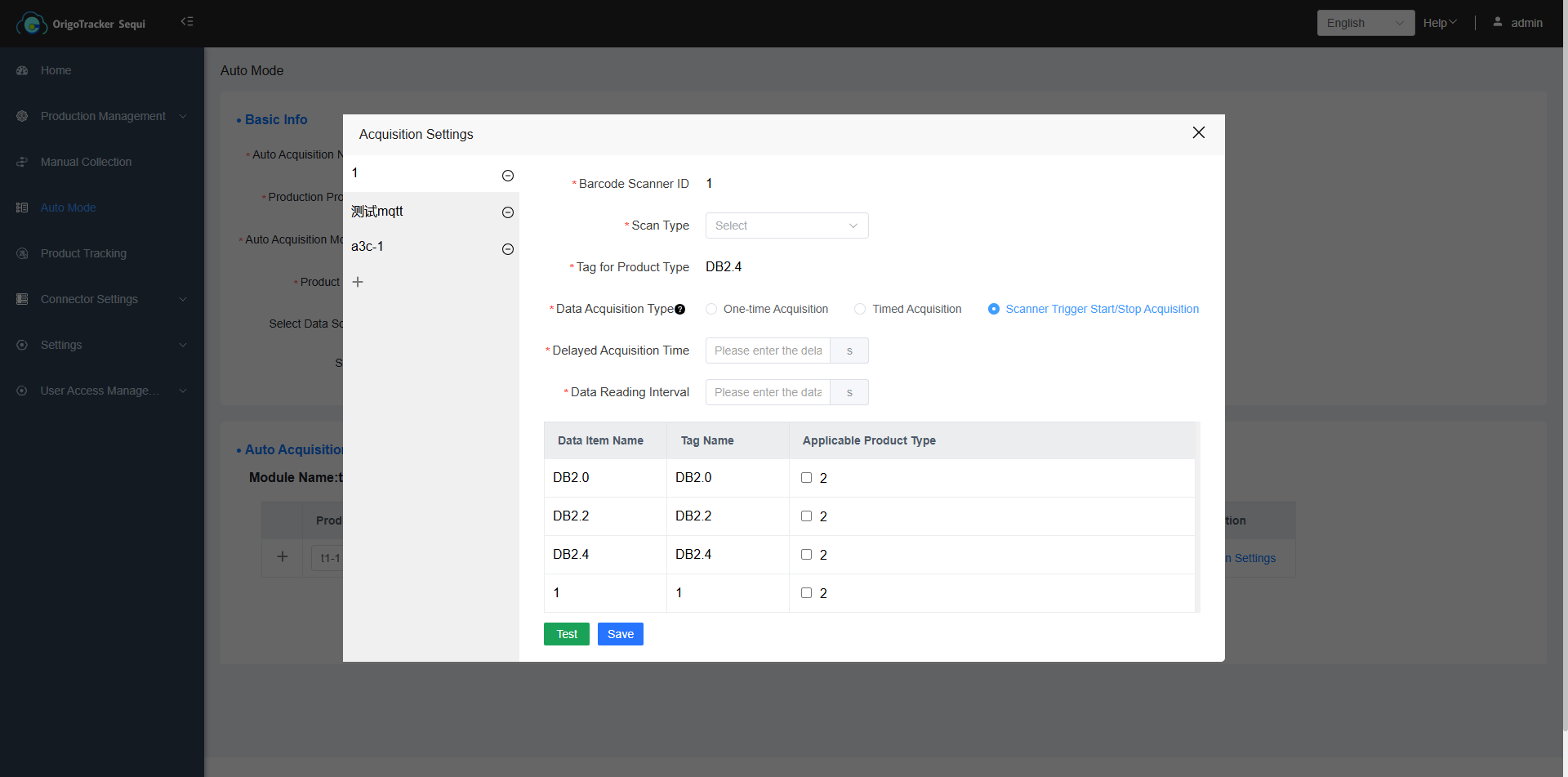
(3) Scan Start-Stop Function Description
Start-Stop Collection: For the same product code, the first scan starts data collection, and the second scan stops data collection.
| Field | Description |
|---|---|
| Delayed Collection Time | After the barcode scanner scans, the system will wait for a specified period (customizable by the user) before collecting equipment data. |
| Data Collection Interval | Data is collected at regular intervals (customizable by the user) until the collection duration ends. |
4.Select the data to be collected when the product is being manufactured on the equipment
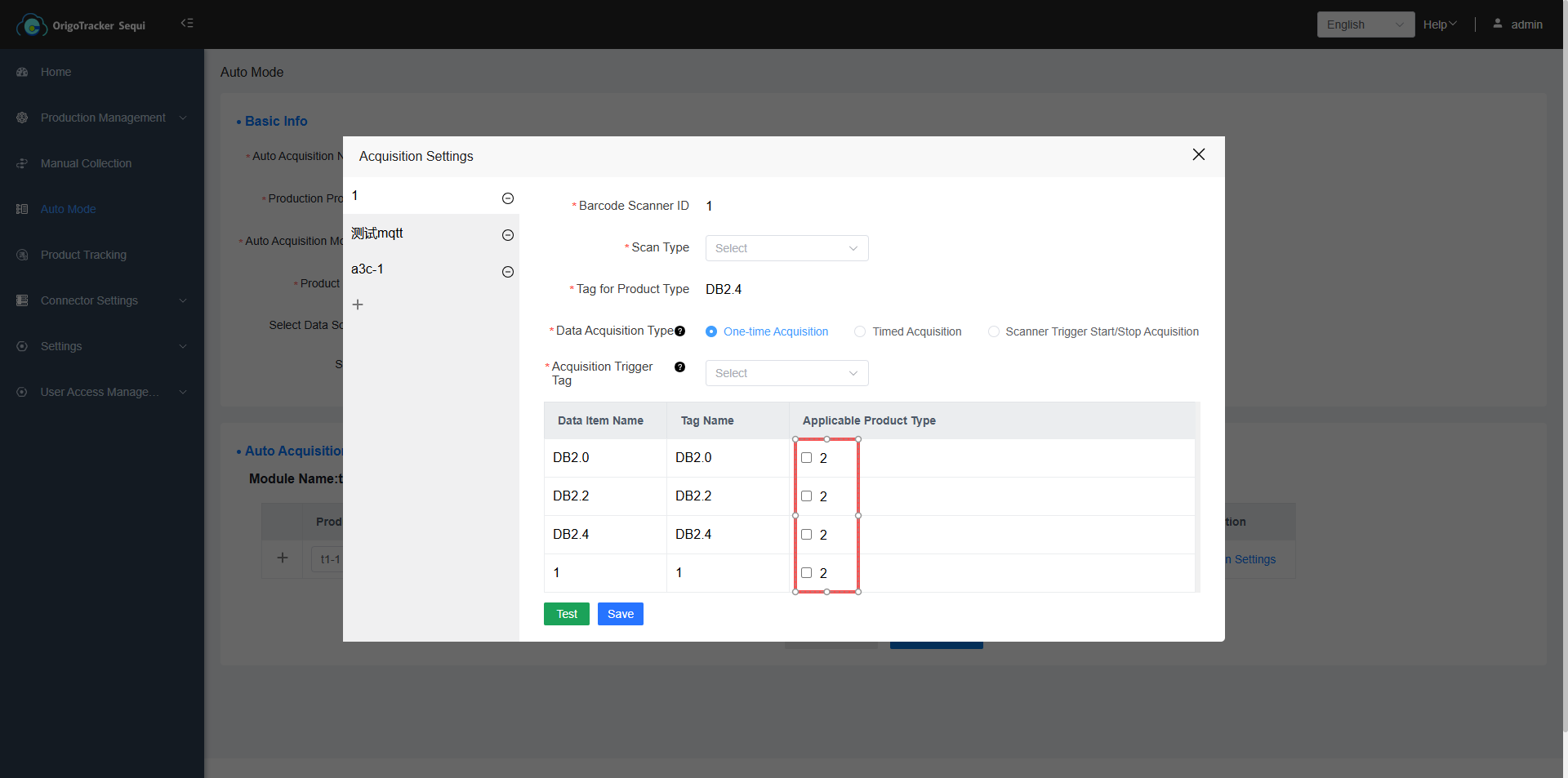
Users can customize the equipment data to be collected during production of this production line—simply check the desired items.